TL;DR: VS Code is the best code editor for Claude Code: Anthropic's official extension has 26.4 million installs, adds inline diffs, checkpoints and plan review, and also installs in Cursor, Kiro and Devin Desktop. Pick a JetBrains IDE for Java and Kotlin work, Zed for a fast native editor, and a plain terminal when you want every command. Claude Code itself needs a paid Claude plan, from $20 a month, or API billing.
In January 2026, 18% of professional developers used Claude Code at work, up from about 3% nine months earlier, according to JetBrains' AI Pulse survey of more than 10,000 developers. The same agent now runs in a terminal, VS Code, JetBrains IDEs, Zed, Xcode and a desktop app. Across Anthropic's own surfaces, your CLAUDE.md, settings and MCP servers carry over unchanged.
The 8 Editors Compared
| Editor | How Claude Code connects | Built by | Editor price |
|---|---|---|---|
| VS Code | Official extension, CLI bundled | Anthropic | Free |
| JetBrains IDEs | Official plugin (beta), CLI installed separately | Anthropic | IDE licence |
| Cursor and other VS Code forks | Same official extension | Anthropic | $0 to $20+ a month |
| Zed | Claude Agent over ACP | Zed, open source adapter | $0 Personal plan |
| Claude desktop app | Built in, Code tab | Anthropic | Included in paid plans |
| Any terminal | The CLI itself | Anthropic | Free |
| Neovim and Emacs | Community plugins | Coder, open source authors | Free |
| Xcode | Claude Agent SDK, built in | Apple | Free |
- 1The VS Code extension ships its own copy of the CLI, but the JetBrains plugin does not: install the CLI first or the IDE shows "Cannot launch Claude Code".
- 2The VS Code chat panel has no
!bash shortcut and no tab completion, and only a subset of commands. Runclaudein the integrated terminal for those. - 3Anthropic paused on June 16, 2026 its plan to bill Agent SDK and third-party app usage from a separate credit, so Claude Code running through ACP in Zed still draws on your plan's limits.
- 4On the Anthropic API, Claude Code offers Fable 5.1, Opus 5.5, Sonnet 5 and Haiku 4.5 in every editor, switched with
/model.
The 8 Best Code Editors for Claude Code
1. VS Code
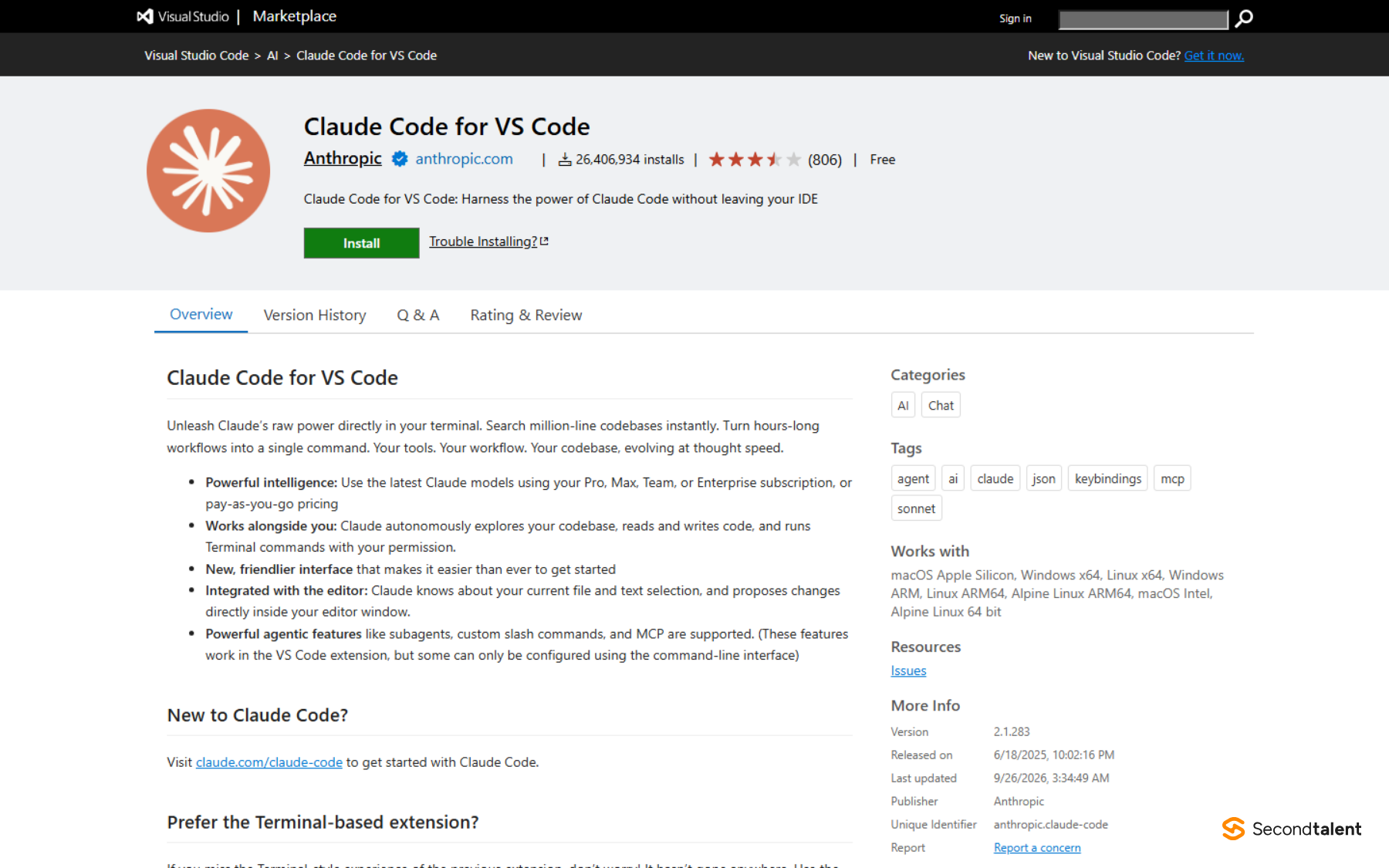
VS Code is the right default for most developers, because it is where Anthropic puts its most complete editor integration. The Claude Code for VS Code listing showed 26,406,934 installs on September 26, 2026, with version 2.1.283 published the day before. Anthropic calls it "the recommended way to use Claude Code in VS Code".
The extension opens a graphical chat panel next to your code. Claude sees the text you select, and Alt+K (Option+K on a Mac) inserts a reference such as @app.ts#5-10. Proposed edits show as inline diffs you accept or reject one change at a time. You can review and edit a plan before Claude starts, and open several conversations in separate tabs.
Checkpoints work in the panel as they do in the CLI. Hover over any message and you can rewind the code to that point, fork the conversation, or both. The VS Code docs list what the panel lacks: the ! bash shortcut, tab completion and some commands. The extension also does not put claude on your PATH, so install the CLI separately if you want it in the integrated terminal.
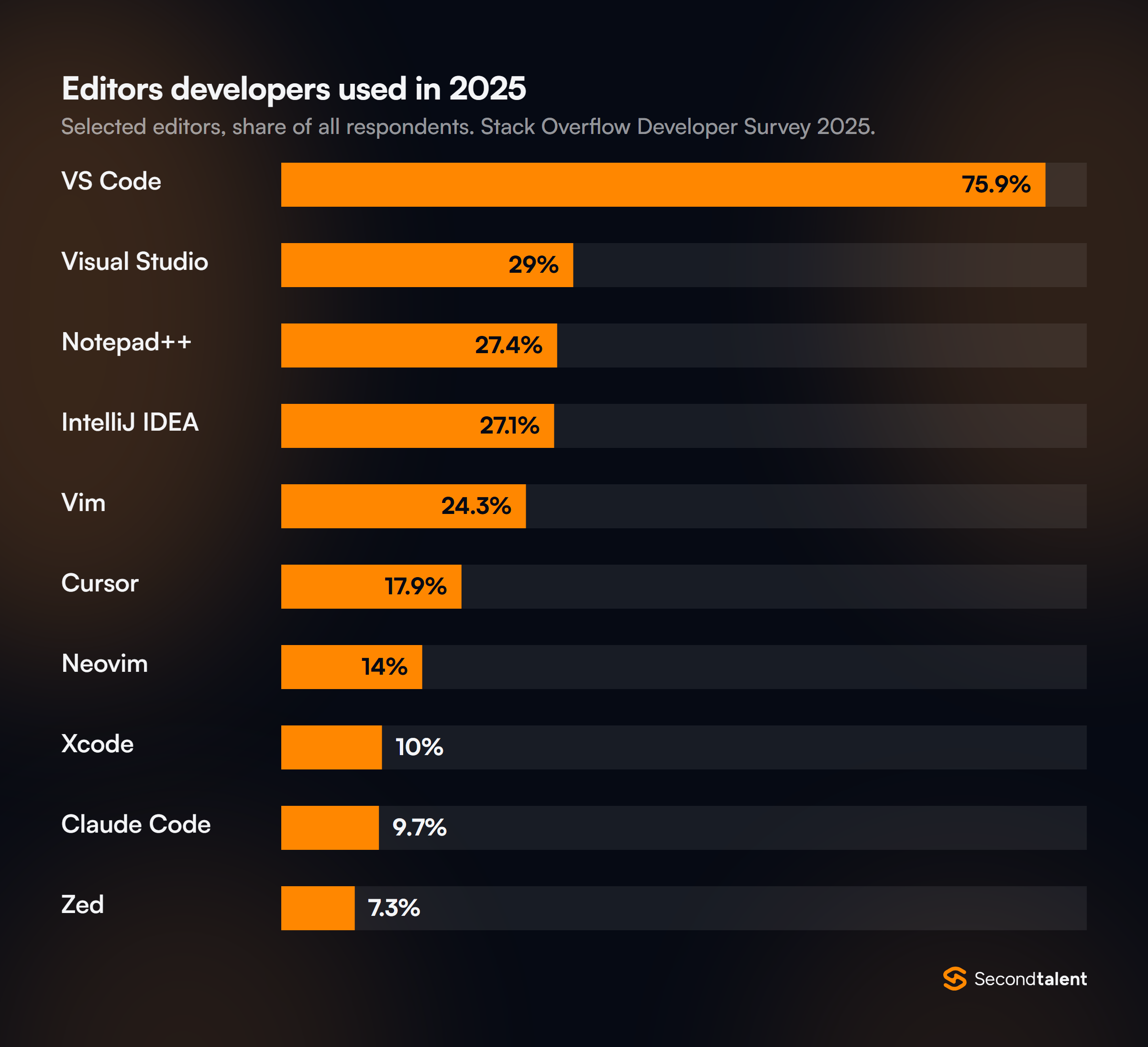
The survey numbers explain why Anthropic built here first. In the Stack Overflow Developer Survey 2025, 75.9% of respondents used VS Code, more than double the 29% for Visual Studio in second place.
- Best for: anyone who wants visual diffs, checkpoints and plan review without leaving the editor they already use.
- Where it struggles: the panel runs a subset of commands, and the Marketplace rating sat at 3.7 out of 5 from 806 reviews.
- Price: VS Code and the extension are free. Claude Code itself needs Pro ($20 a month, or $17 billed yearly), Max from $100, a Team plan, or a Console account.
2. JetBrains IDEs (IntelliJ IDEA, PyCharm, WebStorm)
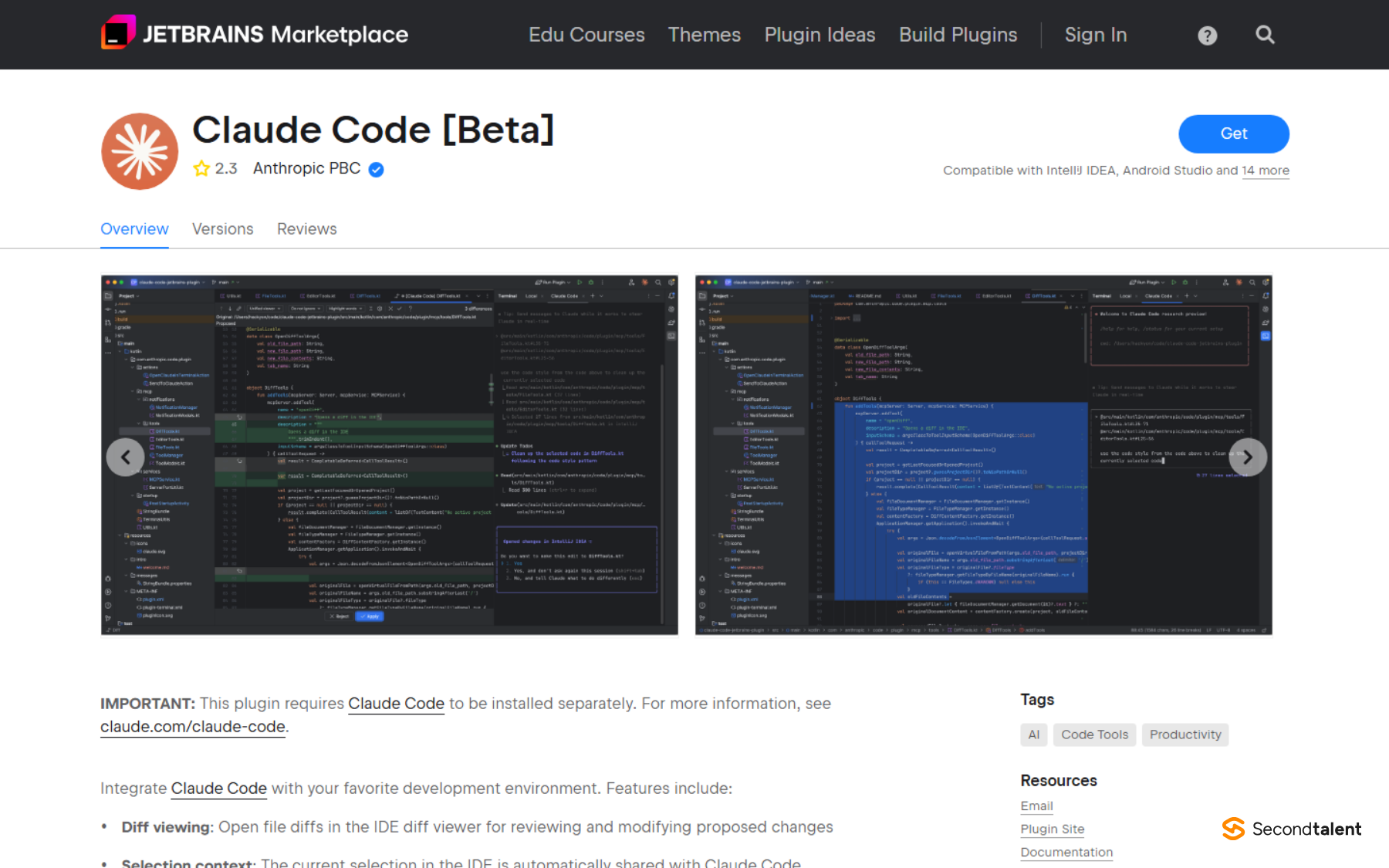
JetBrains IDEs suit teams writing Java, Kotlin, Python or Go who rely on IntelliJ's inspections and refactoring tools. Anthropic's Claude Code plugin works with IntelliJ IDEA, PyCharm, Android Studio, WebStorm, PhpStorm and GoLand, and it is still labelled beta.
Unlike the VS Code extension, the plugin runs the claude command in the IDE's own terminal and connects to it, so you install the CLI first. Once connected, Claude's edits open in the IDE's diff viewer, your selection is shared as context, and Claude can read inspection warnings through a getDiagnostics tool. Ctrl+Esc (Cmd+Esc on a Mac) opens it, and /ide links an outside terminal.
There is a second route. In September 2025 JetBrains added its own Claude Agent to the AI chat, built on the same Agent SDK and included in the JetBrains AI subscription. It needs no plugin and no extra login.
- Best for: JVM, Android and Python teams who want Claude's edits inside IntelliJ's diff viewer and inspections.
- Where it struggles: a separate CLI install, ESC and WSL2 fixes the docs devote a section to, and a Marketplace rating of 2.3 out of 5.
- Price: the plugin is free; the IDE licence and your Claude plan are separate.
3. Cursor and Other VS Code Forks
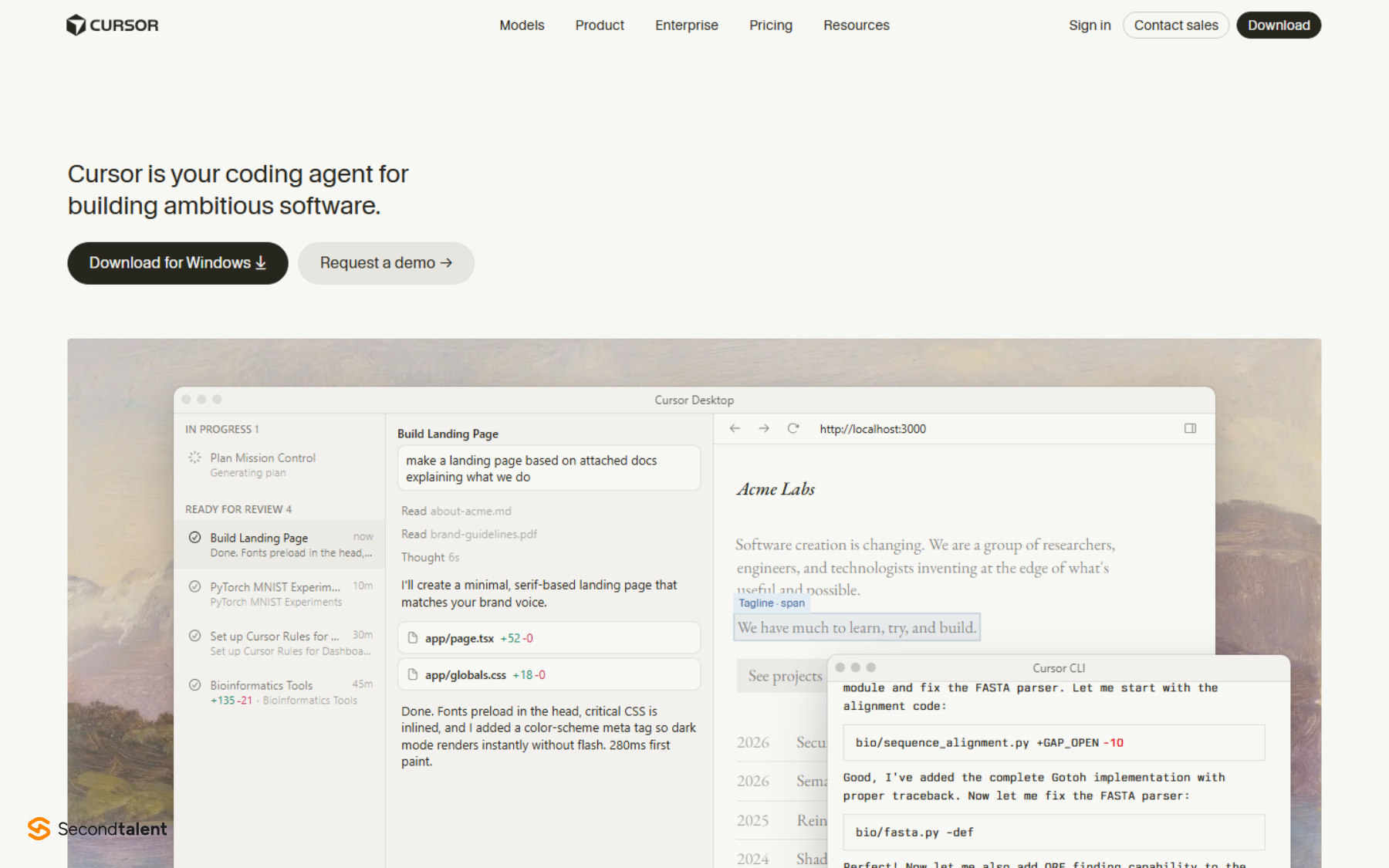
Cursor suits developers who want Claude Code's agent and Cursor's own tab completion in one window. Anthropic's install page carries a direct "Install for Cursor" link, and the same extension installs in other forks such as Devin Desktop (the renamed Windsurf) and Kiro through the Open VSX registry.
That leaves you with two Claude agents in one editor, billed in two places. The extension bills your Claude plan. Cursor's own agent can also run Claude models, and Cursor's model docs list Sonnet 5, Opus 5.5 and Fable 5.1 at Anthropic's API rates, drawn from Cursor's usage pool.
- Bills your Claude plan
- Same
CLAUDE.md, skills, hooks and checkpoints as VS Code - Claude models only
- Bills Cursor usage at the model's API rate
- Cursor's rules, tab completion and cloud agents
- Switch to GPT, Gemini, Grok or Composer
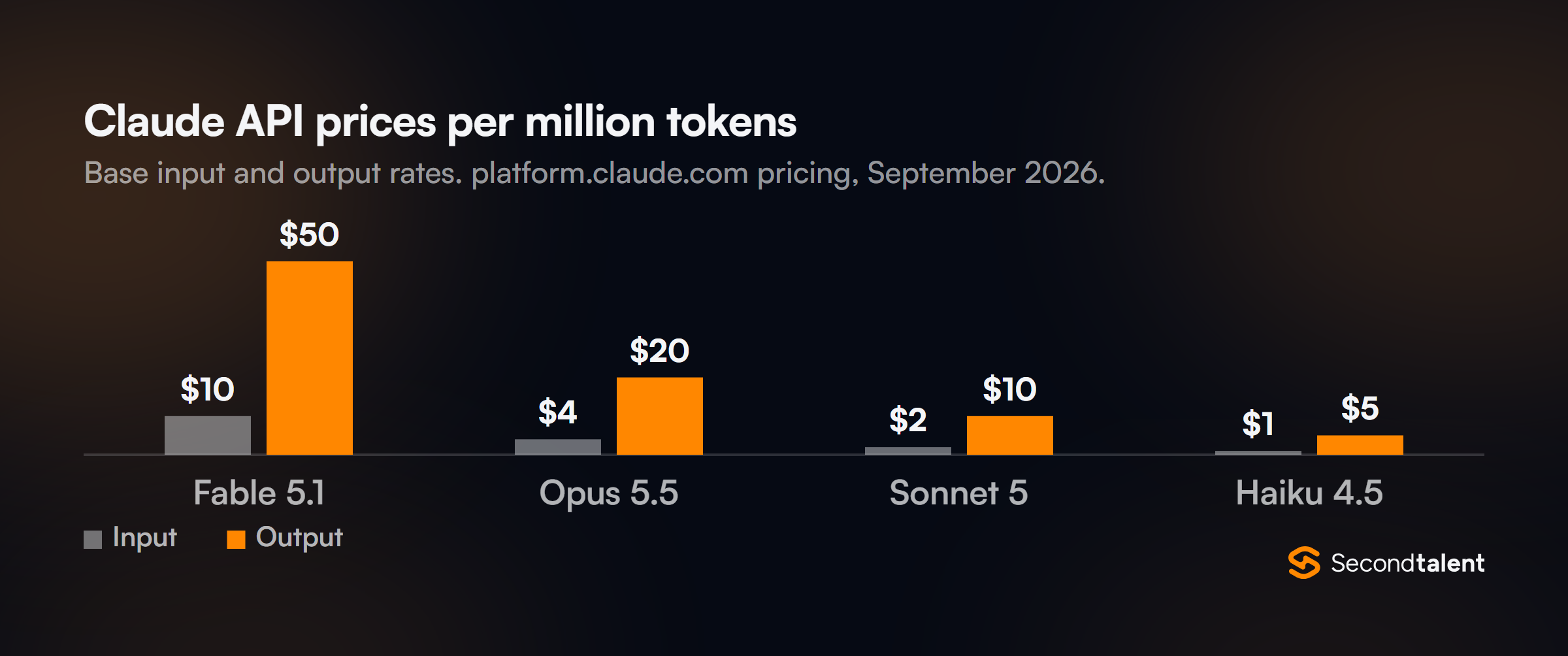
The rate card matters most here. On Anthropic's API pricing, Fable 5.1 output costs $50 per million tokens against $10 for Sonnet 5, so a long agent run on the top model burns a usage pool five times faster.
- Best for: Cursor users who want Claude Code's checkpoints and skills without giving up Cursor's completions.
- Where it struggles: two agents and two bills in one window, and forks that cannot reach the Microsoft marketplace depend on Open VSX.
- Price: Cursor Hobby is free and Individual costs $20 a month; Kiro Pro and Devin Pro also start at $20.
4. Zed
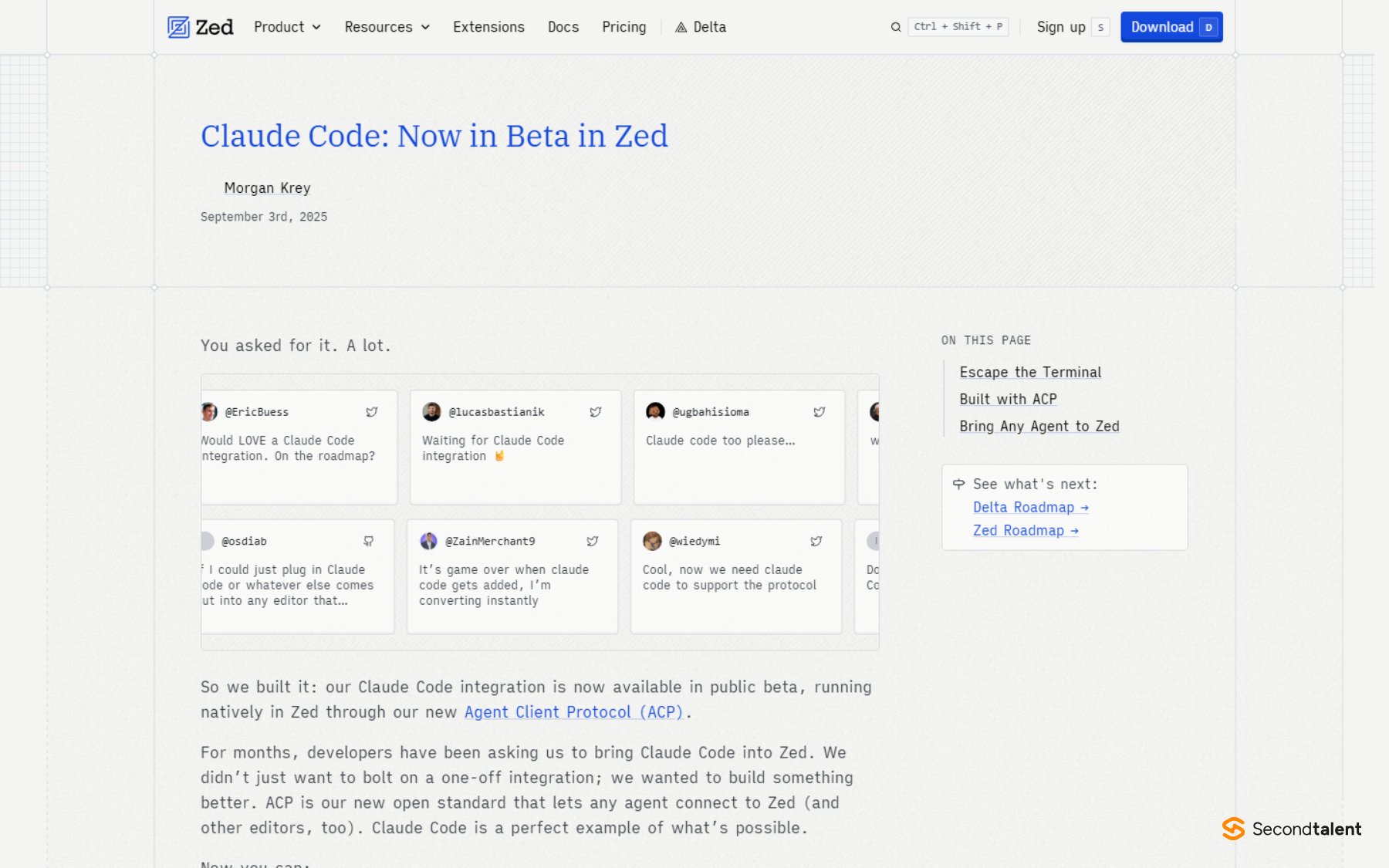
Zed suits developers who want a fast native editor and Claude in a proper panel instead of a terminal tab. Zed brought Claude Code in on September 3, 2025 through its Agent Client Protocol (ACP), using an adapter that wraps Anthropic's Agent SDK. Zed open sourced that adapter under the Apache licence.
Today it appears as "Claude Agent" in Zed's ACP registry. The external agents docs say it owns its own login and billing: an Anthropic API key set up for Zed's built-in agent does not carry over, so you run /login inside a Claude Agent thread. It reads CLAUDE.md on its own.
The trade-off is feature coverage. At launch Zed said many built-in slash commands were not yet available through the SDK. If you need all of them, run the official claude CLI in Zed's terminal instead.
- Best for: developers who want speed, multiplayer editing and a choice of agents (Codex, Copilot and others sit in the same registry).
- Where it struggles: the ACP route trails the CLI on commands, and billing rules for third-party agent use have already moved once.
- Price: Zed Personal is $0 with unlimited use of external agents; Zed Pro is $10 a month.
5. The Claude Desktop App
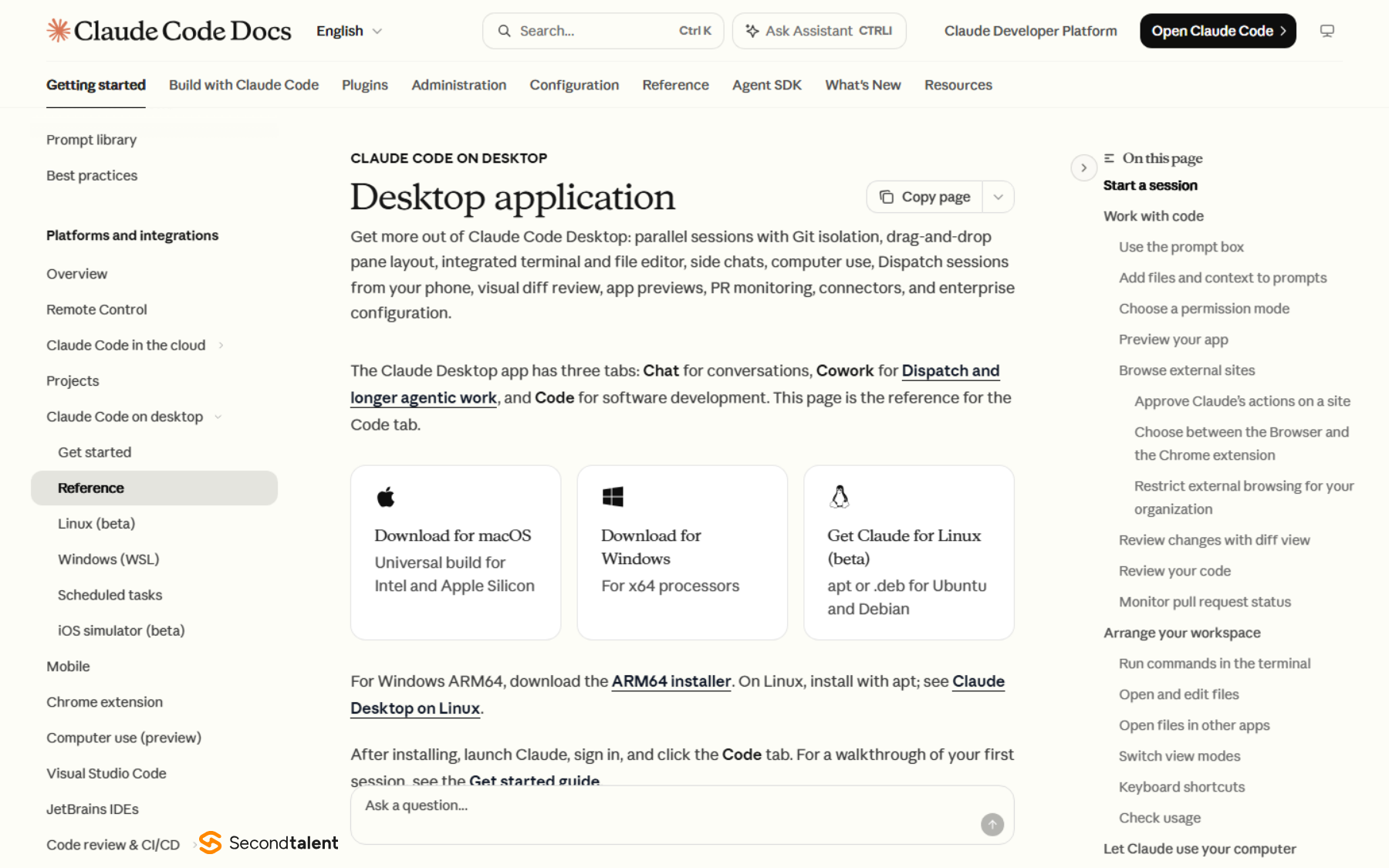
The desktop app suits developers who run several Claude tasks at once and want to review them side by side. It is not a text editor in the usual sense, but it has panes for chat, diff, browser, terminal and a file editor, and it bundles Claude Code, so there is no separate CLI install.
Its strongest feature is isolation. Each session can take its own Git worktree, stored in .claude/worktrees/, so parallel tasks do not overwrite each other until you commit. Cmd-click or Ctrl-click a second session to split the view. Long jobs can run as cloud sessions on Anthropic's machines, and /desktop hands a terminal session over to the app on macOS and x64 Windows.
The desktop docs draw the line: use the app to manage parallel sessions and review changes, and the CLI for scripting and automation.
- Best for: running three or four agents in parallel and reviewing their diffs side by side.
- Where it struggles: it manages sessions more than it edits code, so most setups pair it with an IDE, and Linux support is a beta for Ubuntu and Debian.
- Price: included with any paid Claude plan; it does not work on Free.
6. Any Terminal (the CLI on Its Own)
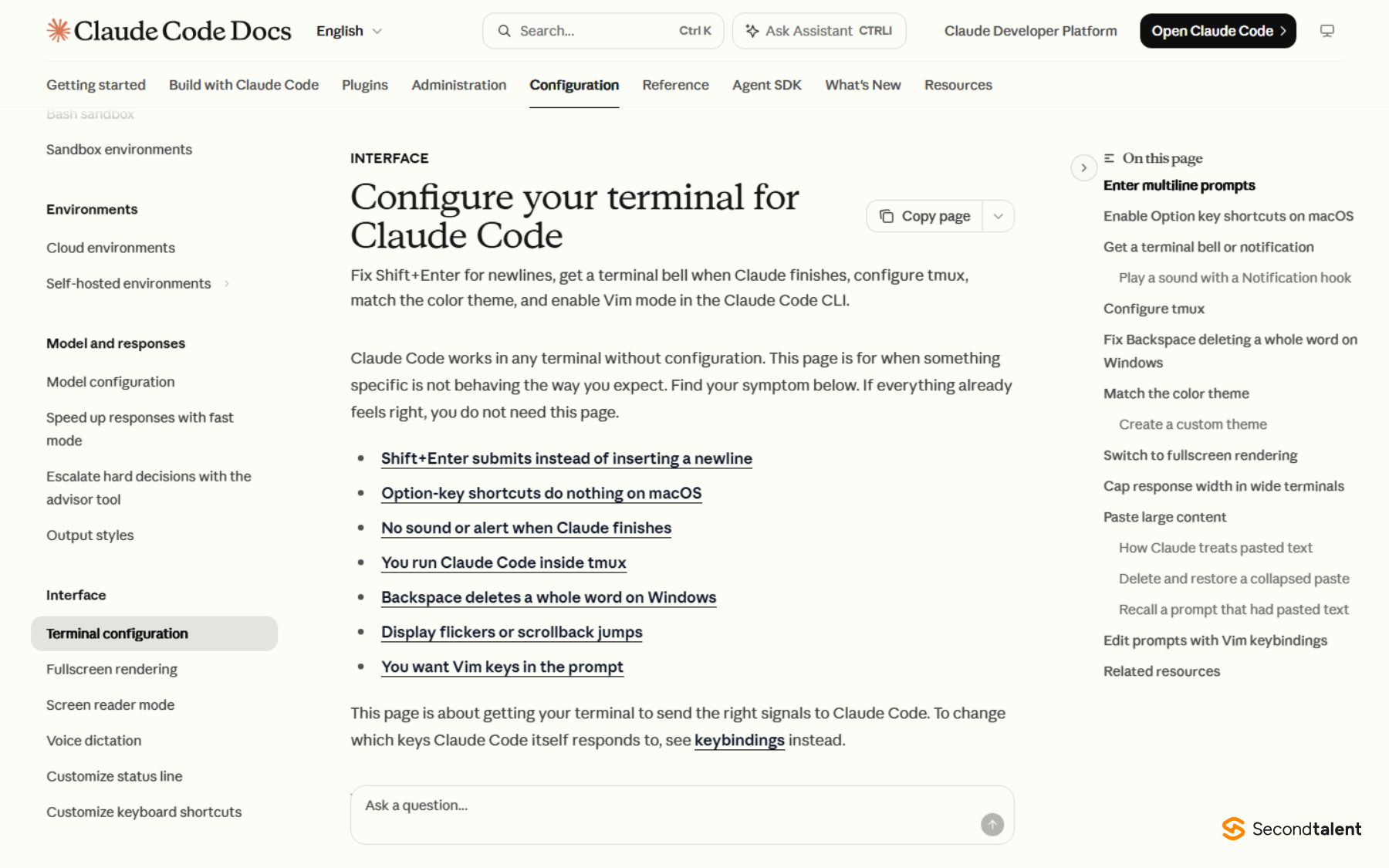
The terminal suits developers who want the full tool with nothing between them and it. The CLI is the only surface with the full command set, the ! bash shortcut and tab completion. It is also the only one you can pipe into, as in git diff main --name-only | claude -p "review these files", which is how teams wire it into CI.
Install is one line: curl -fsSL https://claude.ai/install.sh | bash on macOS and Linux, or winget install Anthropic.ClaudeCode on Windows. Native installs update themselves; Homebrew and WinGet installs do not. Then run /terminal-setup once. Per the terminal docs, it writes a Shift+Enter binding for VS Code, Cursor, Devin Desktop, Zed and older Alacritty, while terminals with the kitty keyboard protocol need no setup.
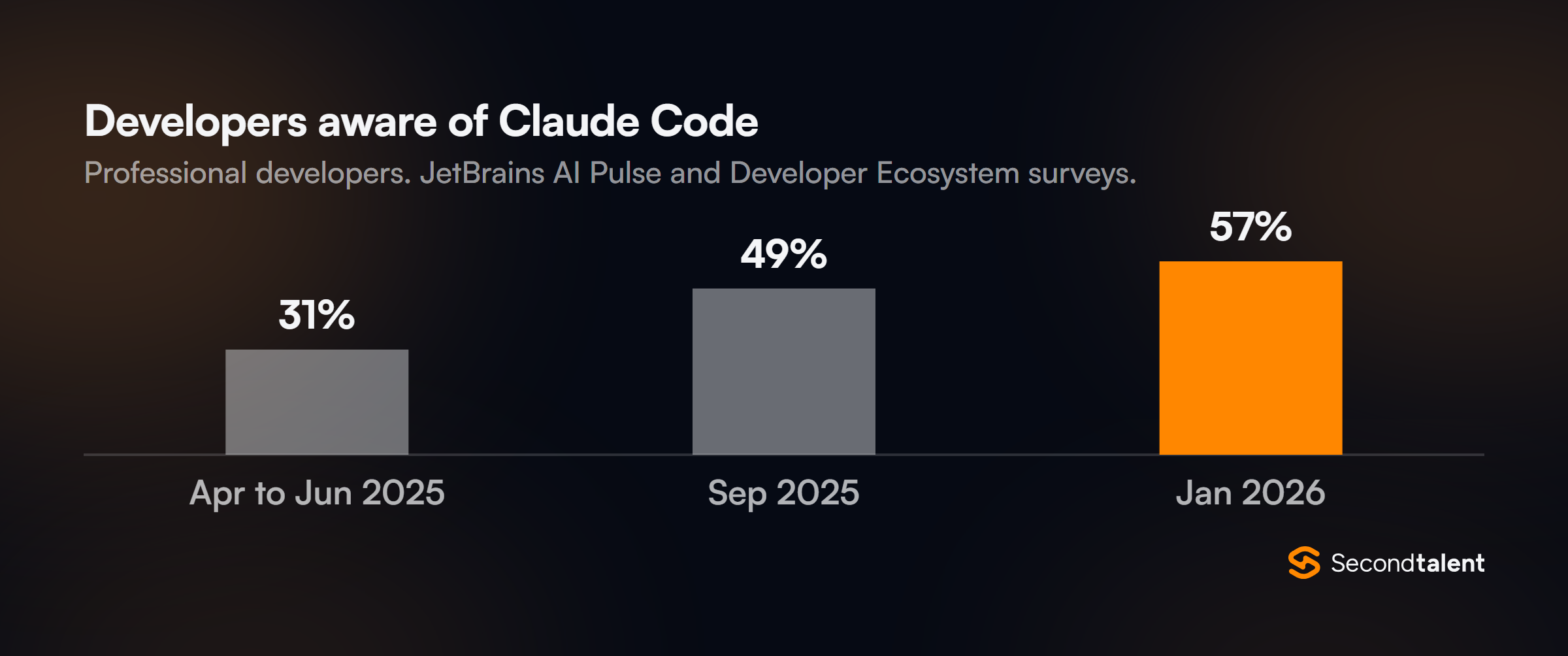
Awareness of the tool grew fast. JetBrains measured awareness climbing from 31% to 57% of developers in about nine months, and in the same survey Claude Code scored a 91% satisfaction rate and an NPS of 54, the highest of any AI coding tool it tracked.
- Best for: heavy users, automation, CI jobs and anyone working over SSH.
- Where it struggles: diffs render as text unless you connect an IDE with
/ide, and JetBrains terminals cannot take Shift+Enter (useCtrl+J). - Price: the CLI is free to install; usage bills to your Claude plan or API key.
7. Neovim and Emacs
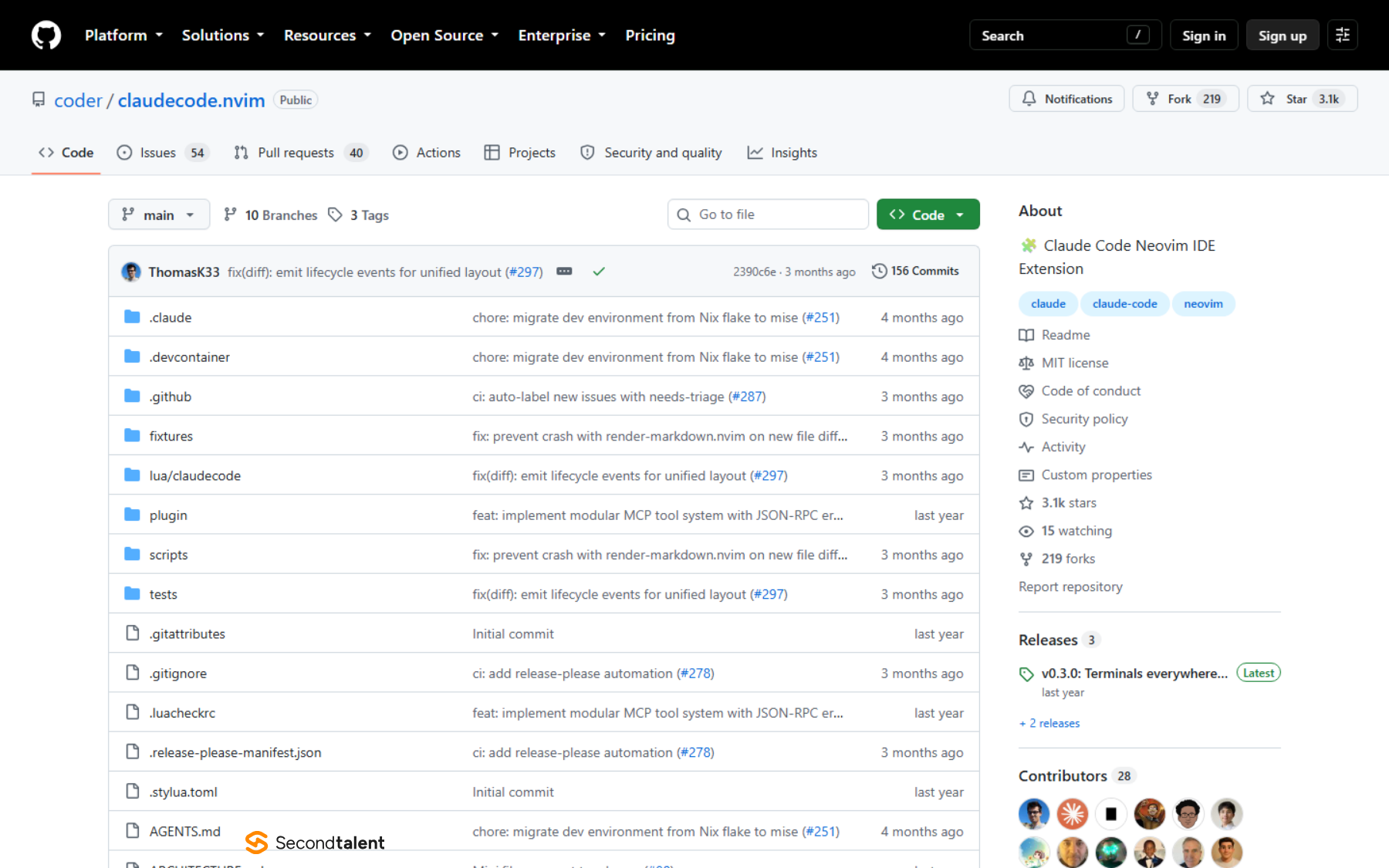
Neovim and Emacs suit developers who will not leave a modal or Lisp-configured editor. Anthropic ships no plugin for either, so both rely on community work, and the good news is that the best plugins speak the same protocol as the official extensions.
claudecode.nvim, from Coder, implements the WebSocket MCP protocol that the VS Code and JetBrains integrations use, in pure Lua. It needs Neovim 0.8 or later, is marked beta, and gives you commands such as :ClaudeCodeDiffAccept. The ACP route works too: CodeCompanion adopted ACP, so Zed's Claude adapter runs there.
On Emacs, claude-code-ide.el supports Emacs 28 to 30. It shows Claude's changes in ediff, feeds it Flycheck and Flymake diagnostics, and can expose xref, tree-sitter or any Elisp function to Claude as an MCP tool.
- Best for: terminal-first developers who want in-editor diffs without switching to VS Code.
- Where it struggles: no vendor support, so a Claude Code update can break a plugin until its maintainer catches up.
- Price: both editors and both plugins are free and open source.
8. Xcode
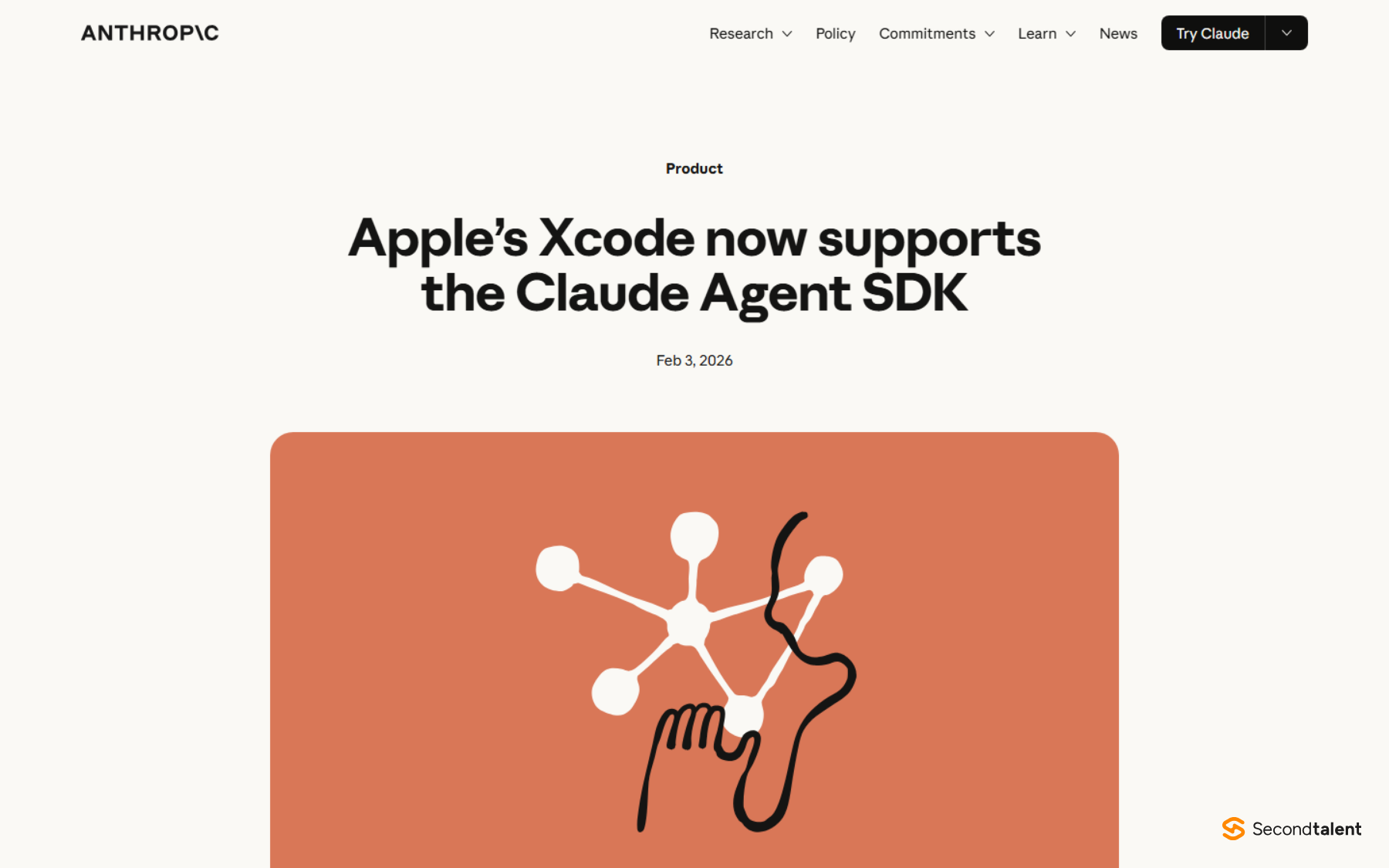
Xcode is the pick for iOS and macOS developers, because it is the one editor where Claude can see the interface it builds. Apple announced agentic coding in Xcode 26.3 on February 3, 2026, with Anthropic's Claude Agent and OpenAI's Codex built in.
According to Anthropic's announcement, the integration runs on the Claude Agent SDK, the same harness behind Claude Code, with subagents, background tasks and plugins. Claude can capture Xcode Previews, spot what looks wrong in a SwiftUI view and fix it, and it can search Apple's documentation while it works.
Xcode also exposes those capabilities over MCP. If you prefer the CLI, Claude Code in a terminal can connect to Xcode and capture Previews without opening the agent panel.
- Best for: SwiftUI and UIKit work where the visual result is the test.
- Where it struggles: Apple platforms only, and a Mac only.
- Price: Xcode is free from Apple; Claude usage bills to your Anthropic account.
Hire Engineers Who Already Work This Way
Claude Code still needs an engineer who reads its diffs before they ship. Second Talent matches companies with pre-vetted engineers from Asia who work with AI coding agents daily, matched within 24 hours, with no cost until you hire. Browse developers by stack or tell us who you need.
FAQ
Which Claude models can Claude Code use?
On the Anthropic API, Claude Code offers Fable 5.1 for the longest tasks, Opus 5.5 for complex reasoning, Sonnet 5 for daily coding and Haiku 4.5 for simple work. The opusplan setting plans with Opus and codes with Sonnet. Pro plans pay usage credits for Fable. Our Claude model comparison covers each one.
Is Claude Code better than ChatGPT for coding?
They run different models in different harnesses, so it depends on the task. OpenAI's equivalent agent is Codex, which also runs in Xcode and Zed. See our Claude vs ChatGPT for coding test and the wider AI coding agents ranking.
Can Claude Code run GLM or Kimi models?
Yes. Z.ai's GLM Coding Plan guide points Claude Code at its Anthropic-compatible endpoint by setting ANTHROPIC_BASE_URL and a Z.ai key in settings.json. The editor integrations keep working, because only the model changes. Compare the models in GLM vs Claude and Kimi K2 vs Claude.
What are the best code editors in 2026 without Claude Code?
VS Code still leads usage by a wide margin, followed by Visual Studio and IntelliJ IDEA. Our most used IDEs breakdown and top IDEs for AI coding review cover the wider field, and Cursor vs GitHub Copilot compares the two biggest AI editors.

![Is Micro1 Legit?. Is Micro1 Legit? Pay, Reviews and How It Works [2026], by Second Talent.](https://www.secondtalent.com/wp-content/uploads/2026/09/is-micro1-legit-featured-v2-768x403.jpg)



![Is DataAnnotation Legit?. Is DataAnnotation Legit? Pay, Reviews and How It Works [2026], by Second Talent.](https://www.secondtalent.com/wp-content/uploads/2026/09/is-dataannotation-legit-featured-v2-768x403.jpg)