TL;DR: The best open-source AI coding assistants in 2026 include Continue, Tabby, Cody, Aider, Cursor (OSS components), CodeGeeX, and FauxPilot—offering privacy, customization, and cost control.
According to Gartner, 75% of enterprise software engineers will use AI code assistants by 2028—up from less than 10% in early 2023. While proprietary tools like GitHub Copilot dominate headlines, a parallel revolution is happening in the open-source community. Developers and engineering teams are increasingly turning to open-source alternatives for greater control, privacy, and customization.
This guide explores the top 7 open-source AI coding assistants in 2026. You will learn each tool’s capabilities, ideal use cases, and how they compare—helping you choose the right solution for your engineering team.
What’s your AI coding assistant priority?
Select your situation below.
Self-hosting open-source AI assistants like Continue or Tabby gives you complete privacy over your codebase. Companies using self-hosted solutions report 60% lower monthly costs compared to enterprise SaaS tools. Your code never leaves your infrastructure. Hire DevOps engineers →
Integrating AI assistants across distributed teams requires developers who understand both the tools and your workflow. 75% of enterprises will use AI code assistants by 2028—your team needs engineers ready to leverage them now. Hire AI developers →
Open-source assistants can reduce AI tooling costs by 40-70% versus proprietary options. But you’ll need skilled developers to deploy and maintain them. Southeast Asian AI engineers cost $3,000-$6,000/month versus $12,000+ in Western markets. Compare developer rates →
Implementing tools like Cody or Aider requires backend and cloud expertise. You need developers who can configure, deploy, and optimize these systems quickly. Our clients typically hire AI-ready engineers within 2-3 weeks. Hire cloud engineers →
Feature Comparison:
This table compares the core features across all seven tools to help you quickly identify which options meet your requirements:
| Tool | Code Completion | Chat Interface | Codebase Awareness | Local Models | Enterprise Ready |
|---|---|---|---|---|---|
| Continue | Yes | Yes | Yes | Yes | Yes |
| Tabby | Yes | Yes | Yes | Yes (required) | Yes |
| Cody | Yes | Yes | Excellent | With Sourcegraph | Yes |
| Aider | No | Yes (CLI) | Yes | Yes | Moderate |
| Cursor | Yes | Yes | Yes | Limited | Yes |
| CodeGeeX | Yes | Yes | Basic | Yes | Moderate |
| FauxPilot | Yes | No | No | Yes (required) | Moderate |
What Makes Open-Source AI Coding Assistants Different?
Open-source AI coding assistants differ from proprietary alternatives in several fundamental ways. Understanding these differences helps you evaluate whether open-source is the right choice for your team.
Key advantages of open-source coding assistants:
- Data privacy: Self-host models to keep proprietary code on your own infrastructure
- Customization: Fine-tune models on your codebase for better suggestions
- Cost control: No per-seat licensing fees; pay only for compute resources
- Transparency: Audit the code to understand exactly how suggestions are generated
- No vendor lock-in: Switch models or providers without losing your workflow
GitHub’s own controlled study of 95 developers found that those using Copilot completed the task 55% faster, in 1 hour 11 minutes against 2 hours 41 minutes. Open-source tools deliver these productivity gains while addressing enterprise concerns about code security and intellectual property protection.
Key Factors When Evaluating AI Coding Assistants
Before diving into specific tools, consider these criteria for evaluating any AI coding assistant:
- Model flexibility: Can you use different LLMs (local or cloud-based)?
- IDE support: Does it work with your team’s preferred editors (VS Code, JetBrains, Neovim)?
- Code completion quality: How accurate and contextually relevant are suggestions?
- Codebase awareness: Can it understand your entire project, not just the current file?
- Self-hosting capability: Can you run it entirely on your own infrastructure?
- Active development: Is the project maintained with regular updates?
Many engineering teams building AI-powered products find that open-source assistants integrate better with their existing toolchains and provide the flexibility needed for specialized workflows.
Top 7 Open-Source AI Coding Assistants in 2026
1. Continue

Continue has emerged as one of the most popular open-source coding assistants, with over 20,000 GitHub stars. It functions as an autopilot for software development, offering code completion, chat-based assistance, and the ability to edit code directly from natural language instructions.
What makes Continue stand out is its model-agnostic architecture. You can connect it to any LLM—whether that’s a local model like Llama, Mistral, or CodeLlama, or cloud providers like OpenAI and Anthropic. This flexibility lets teams start with cloud models and migrate to self-hosted options as their needs evolve.
- Best for: Teams wanting maximum flexibility in model selection
- IDE support: VS Code, JetBrains IDEs
- Key features: Tab autocomplete, chat, codebase context, custom commands
- Self-hosting: Full support with local models
- License: Apache 2.0
2. Tabby

Tabby is a self-hosted AI coding assistant designed specifically for teams that cannot send code to external servers. It runs entirely on your infrastructure, making it ideal for companies with strict data governance requirements or working on sensitive projects.
Tabby offers both code completion and a chat interface. The tool integrates with popular code models and can be fine-tuned on your private repositories for improved suggestion accuracy. Its enterprise-focused features include team management, usage analytics, and SSO integration.
- Best for: Security-conscious teams requiring complete data isolation
- IDE support: VS Code, JetBrains, Vim, Emacs
- Key features: Self-hosted, codebase indexing, answer engine, fine-tuning support
- Self-hosting: Required (that’s the point)
- License: Apache 2.0
3. Cody by Sourcegraph
Cody is Sourcegraph’s AI coding assistant with significant open-source components. It leverages Sourcegraph’s powerful code intelligence to understand your entire codebase, making it exceptionally good at answering questions about how things work across large repositories.
Cody’s strength lies in its deep codebase understanding. Unlike tools that only see the current file, Cody can search and understand code across your entire organization. This makes it particularly valuable for onboarding new developers or navigating unfamiliar parts of a large codebase.
- Best for: Large codebases requiring cross-repository understanding
- IDE support: VS Code, JetBrains, Neovim, Emacs
- Key features: Codebase-wide context, code search integration, multiple LLM support
- Self-hosting: Available with Sourcegraph Enterprise
- License: Apache 2.0 (client), Enterprise license (some features)
4. Aider
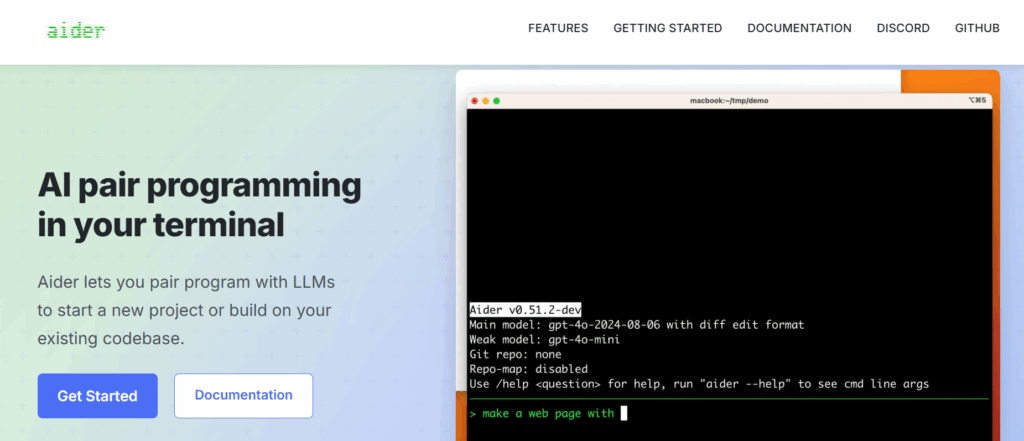
Aider takes a different approach as a terminal-based AI pair programming tool. Rather than working within an IDE, Aider operates from the command line, making it popular with developers who prefer terminal-centric workflows or want to integrate AI assistance into scripts and automation.
Aider excels at making coordinated changes across multiple files. You describe what you want in natural language, and Aider edits your code directly, creating proper git commits along the way. It supports a wide range of models including GPT-4, Claude, and local models via Ollama.
- Best for: Terminal-focused developers and automation workflows
- IDE support: Terminal/CLI (IDE-agnostic)
- Key features: Multi-file editing, git integration, voice coding support
- Self-hosting: Works with local models via Ollama or LM Studio
- License: Apache 2.0
5. Cursor (Open-Source Components)
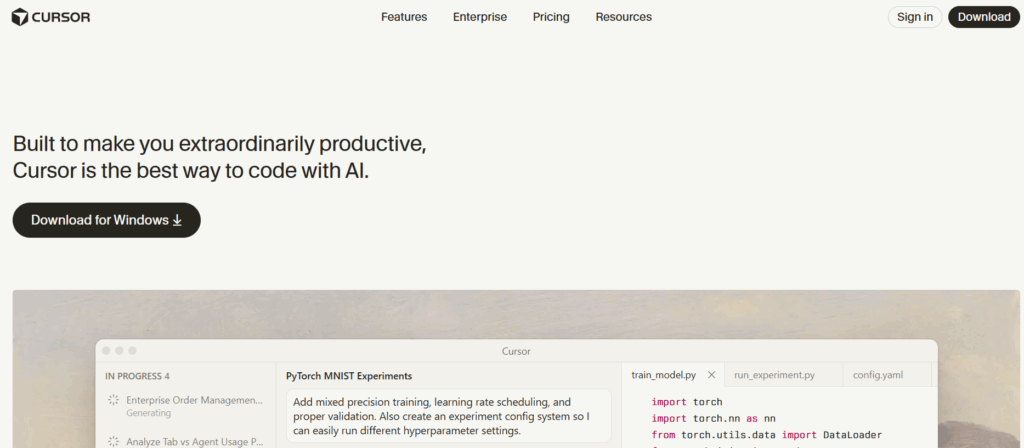
Cursor is an AI-first code editor built as a fork of VS Code. While the full product is commercial, significant portions are open-source, and its innovations have influenced the broader ecosystem. Cursor represents what a purpose-built AI coding environment looks like.
Cursor’s standout feature is its seamless integration of AI throughout the editing experience. Chat, code generation, and editing feel native rather than bolted on. The open-source components provide insights into building effective AI coding tools, even if you ultimately choose a different solution.
- Best for: Teams wanting an AI-native editing experience
- IDE support: Cursor is the IDE (VS Code fork)
- Key features: Inline editing, multi-file context, codebase chat
- Self-hosting: Limited (commercial product with OSS components)
- License: Mixed (some Apache 2.0, some proprietary)
6. CodeGeeX

CodeGeeX is a multilingual code generation model developed by Tsinghua University. It supports over 20 programming languages and offers both code completion and translation between languages. The project provides model weights that can be self-hosted.
CodeGeeX is particularly strong for teams working across multiple programming languages. Its code translation feature helps when porting code or when developers need to work in unfamiliar languages. The model’s training on diverse codebases gives it broad language coverage.
- Best for: Multilingual development and code translation tasks
- IDE support: VS Code, JetBrains (via plugins)
- Key features: 20+ languages, code translation, self-hostable models
- Self-hosting: Full support with released model weights
- License: Apache 2.0
7. FauxPilot
FauxPilot is a self-hosted alternative that provides a Copilot-compatible API. This means you can use existing Copilot extensions and clients while running your own backend. It’s ideal for teams that want Copilot’s user experience without sending code to Microsoft’s servers.
FauxPilot uses NVIDIA Triton Inference Server and supports various code models including CodeGen and SantaCoder. While setup requires more technical expertise than other options, it provides complete control over the inference infrastructure and model selection.
- Best for: Teams wanting Copilot compatibility with self-hosting
- IDE support: Any editor with Copilot extension support
- Key features: Copilot-compatible API, NVIDIA Triton backend, Docker deployment
- Self-hosting: Required
- License: MIT
Deployment and Cost Comparison
Understanding deployment complexity and ongoing costs is crucial for planning. Here’s how each tool compares:
| Tool | Deployment Complexity | Minimum Hardware | Ongoing Cost | Cloud Option |
|---|---|---|---|---|
| Continue | Low | Any (uses external APIs) | API costs only | Yes |
| Tabby | Medium | 8GB+ VRAM GPU | Infrastructure only | No (self-host only) |
| Cody | Low-Medium | Depends on deployment | Free tier + paid plans | Yes |
| Aider | Low | Any | API costs only | Yes |
| Cursor | Low | Standard dev machine | $20/month/user | Yes (required) |
| CodeGeeX | Medium-High | 16GB+ VRAM GPU | Infrastructure only | Limited |
| FauxPilot | High | NVIDIA GPU required | Infrastructure only | No |
For startups evaluating infrastructure costs, tools like Continue and Aider offer the lowest barrier to entry since they can use cloud APIs. Teams with existing GPU infrastructure may find Tabby or FauxPilot more cost-effective at scale.
How to Choose the Right Tool for Your Team
Selecting the right AI coding assistant depends on your team’s specific requirements. Here’s a decision framework based on common scenarios:
Choose Continue if:
- You want flexibility to experiment with different models
- Your team uses VS Code or JetBrains IDEs
- You may migrate from cloud to self-hosted models later
Choose Tabby if:
- Data privacy is non-negotiable
- You have GPU infrastructure available
- You want to fine-tune on your private codebase
Choose Cody if:
- You have large, complex codebases
- Cross-repository understanding is important
- You’re already using or considering Sourcegraph
Choose Aider if:
- You prefer terminal-based workflows
- You need to automate code changes via scripts
- Multi-file coordinated changes are common
According to Stack Overflow’s 2025 Developer Survey, 82% of developers report that AI tools help them learn new codebases faster. For remote development teams, this acceleration is particularly valuable when onboarding new engineers or working across unfamiliar parts of the codebase.
Self-Hosting Considerations for Startups
For startups considering self-hosted AI coding assistants, several practical factors influence the decision:
- GPU availability: Most self-hosted solutions require NVIDIA GPUs with 8-16GB+ VRAM
- DevOps overhead: Someone needs to maintain the infrastructure and update models
- Latency requirements: Self-hosted solutions can offer lower latency than cloud alternatives
- Cost breakeven: Calculate when infrastructure costs become cheaper than per-seat licensing
- Compliance needs: Some industries require code to stay on-premises
Self-hosting tends to pay off once you are running enough active seats to cover the infrastructure and maintenance, so model it against your own seat count rather than a rule of thumb. Below that threshold, cloud-based solutions often remain more economical.
For teams evaluating build-vs-buy decisions on AI infrastructure, consulting with experienced DevOps engineers can help assess the operational requirements and true total cost of ownership.
Integration with Development Workflows
The best AI coding assistant is one that fits seamlessly into your existing workflow. Consider these integration points:
- Version control: Tools like Aider automatically create meaningful git commits
- Code review: Some assistants can help review pull requests
- Documentation: AI can generate inline comments and README updates
- Testing: Several tools help write unit tests alongside code
- CI/CD: Consider how AI assistance fits into your deployment pipeline
Security Best Practices
When deploying AI coding assistants, especially in enterprise environments, follow these security practices:
- Audit data flows: Understand exactly what code is sent where
- Review model outputs: AI can occasionally suggest insecure code patterns
- Implement access controls: Limit which repositories AI tools can access
- Monitor usage: Track how the tools are being used across your organization
- Keep tools updated: Security patches for AI tools are released regularly
The vetting of engineering talent becomes even more important when AI tools are involved. Developers need to understand both the capabilities and limitations of AI-generated code to use these tools safely.
Conclusion:
Open-source AI coding assistants have matured significantly, offering viable alternatives to proprietary solutions. Each tool in this guide addresses different needs—from Continue’s flexibility to Tabby’s privacy focus to Cody’s deep codebase understanding.
For most startups, starting with Continue or Aider using cloud APIs provides the fastest path to productivity gains. As your team grows and requirements evolve, migrating to self-hosted solutions like Tabby becomes more attractive both economically and from a security standpoint.
The key is matching the tool to your team’s workflow, security requirements, and infrastructure capabilities. Pilot one or two options with a small group before rolling out organization-wide.
Get started with Second Talent today and build your engineering team with confidence.

![Is Micro1 Legit?. Is Micro1 Legit? Pay, Reviews and How It Works [2026], by Second Talent.](https://www.secondtalent.com/wp-content/uploads/2026/09/is-micro1-legit-featured-v2-768x403.jpg)

![Is DataAnnotation Legit?. Is DataAnnotation Legit? Pay, Reviews and How It Works [2026], by Second Talent.](https://www.secondtalent.com/wp-content/uploads/2026/09/is-dataannotation-legit-featured-v2-768x403.jpg)