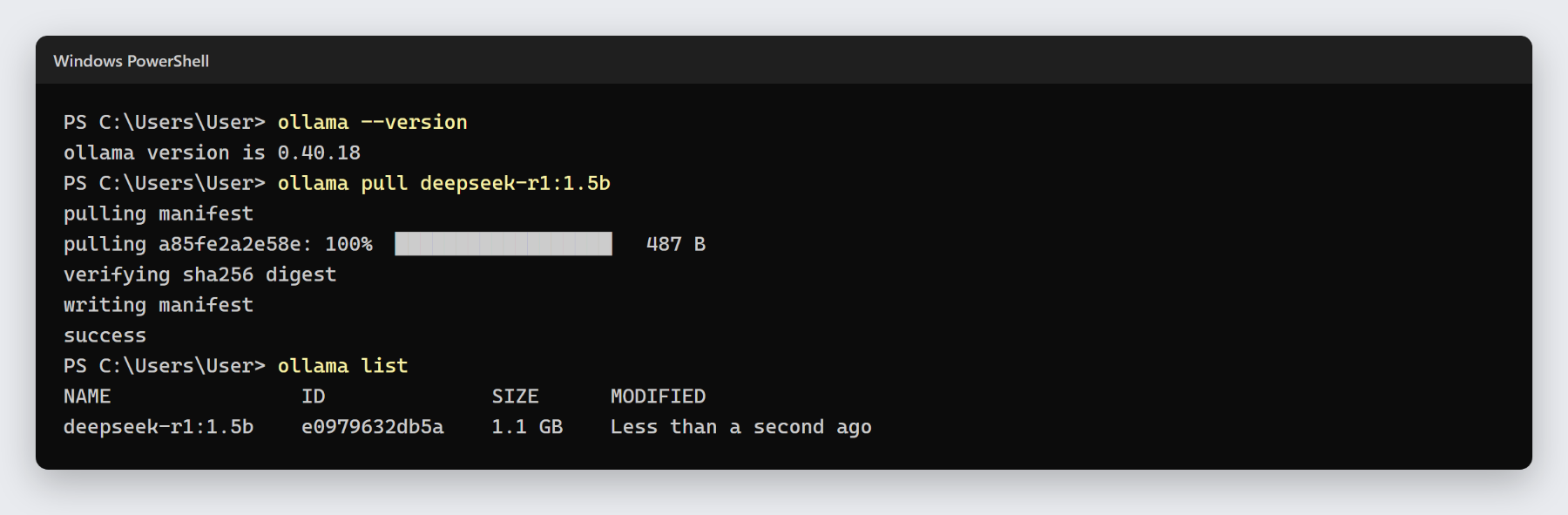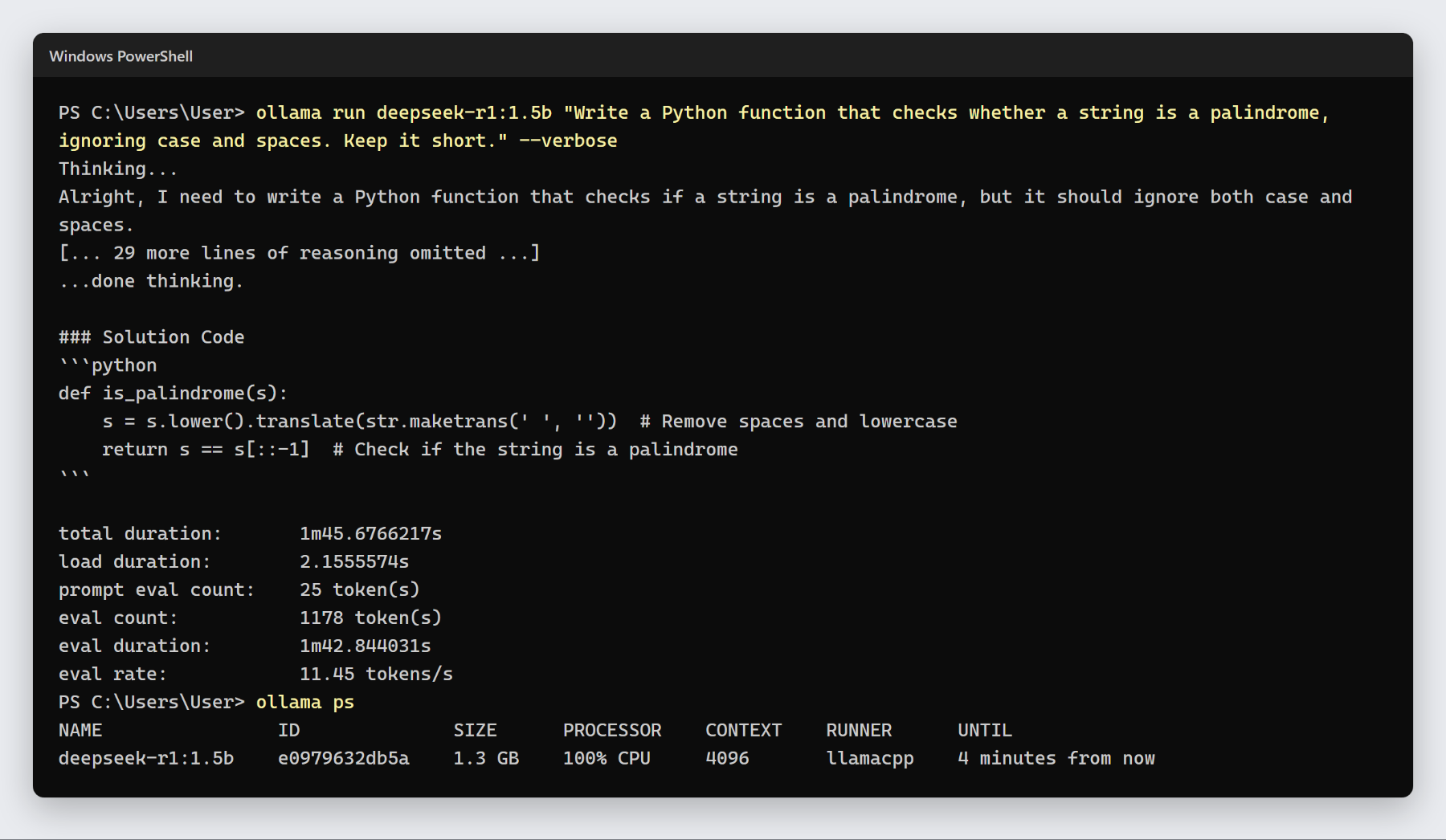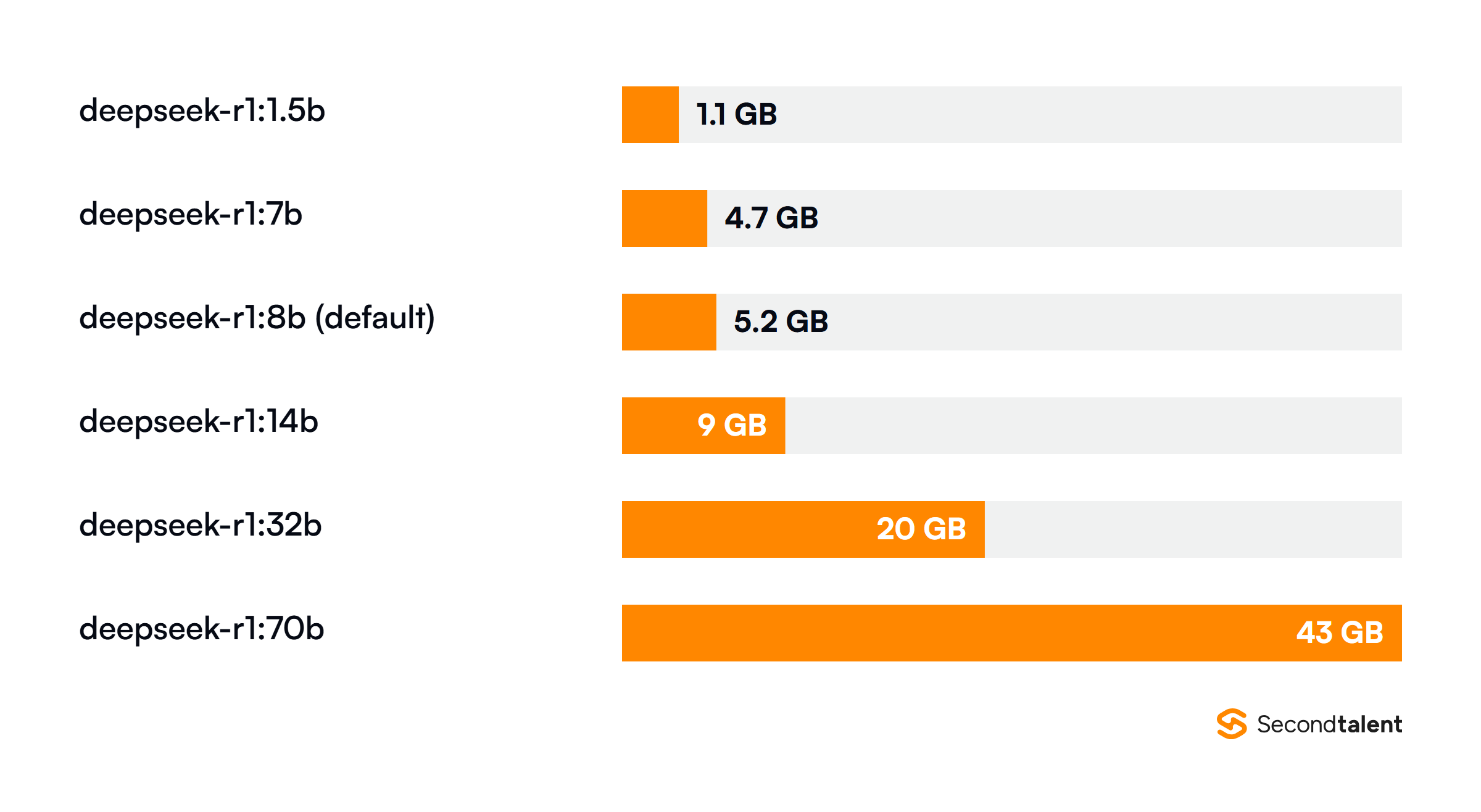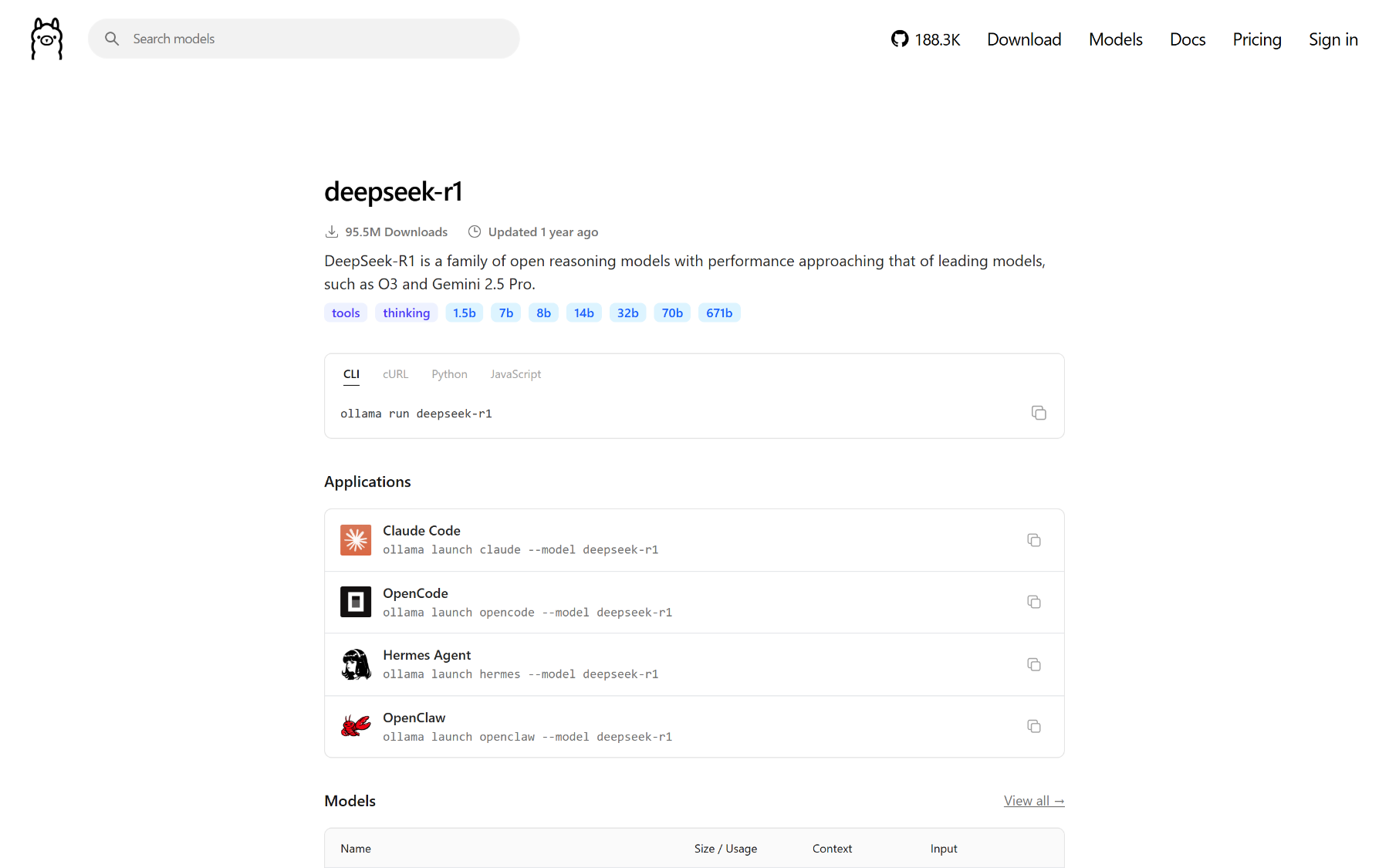








TL;DR: To use DeepSeek on a phone, install "DeepSeek - AI Assistant" from the App Store or Google Play (100M+ downloads); on a computer, use chat.deepseek.com, since there is no desktop chat app. To run DeepSeek offline, install Ollama and run ollama run deepseek-r1:1.5b; on our CPU-only Windows laptop that model answered at 11.45 tokens a second. The newest V4 models are open-weight but far too large for a laptop.
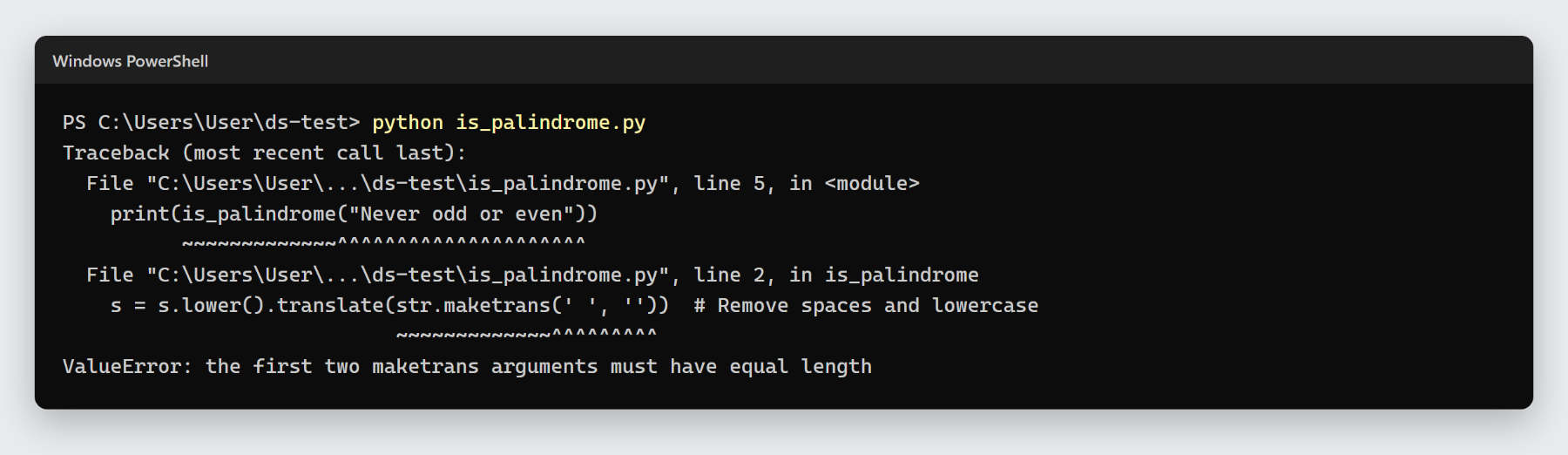
The smallest DeepSeek model you can run at home is a 1.1 GB download, and the Python function it wrote for me crashed on its first line.
I installed Ollama and DeepSeek-R1 1.5B on a 16 GB Windows 11 laptop with no graphics card on November 27, 2026, and timed every step. Which DeepSeek you should install depends on whether you want the chatbot or the model.
Key takeaways
- 1The app and website store your data in the People's Republic of China, per DeepSeek's privacy policy; a local model sends nothing anywhere.
- 2The Windows Ollama installer is a 1.95 GB download and took up 3.37 GB once installed, before any model.
- 3US federal civilian agencies were ordered to remove DeepSeek from their systems; the order does not cover personal phones.
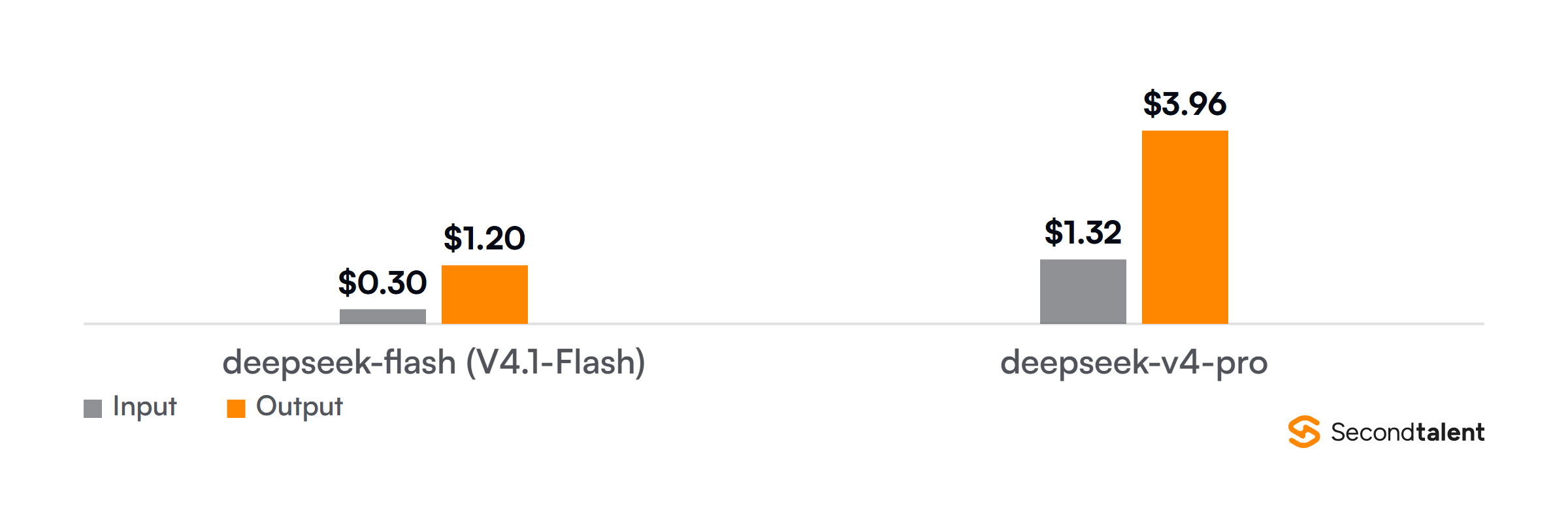
- 4The API costs $0.30 per million input tokens for V4.1-Flash at peak, and half that off-peak.