TL;DR: Accelerate code reviews and catch bugs earlier with these 11 AI-powered tools, from CodeRabbit's PR analysis to SonarQube's enterprise security scanning.
AI code review tools have transformed from experimental novelties to essential development infrastructure.
According to the DORA 2025 Report, high-performing teams using AI code review experience 42-48% improvement in bug detection accuracy.
Code review automation has exploded from $550 million to $4 billion in 2025, reflecting a shift as models can now interpret entire codebases and execute multi-step analysis.
For startups and development teams shipping rapidly, manual code review creates bottlenecks that slow delivery and frustrate developers.
AI tools reduce review time from hours to minutes while catching security vulnerabilities, performance issues, and maintainability problems that human reviewers miss under time pressure.
This guide examines the 11 leading AI code review tools for 2026, helping software development teams and technical leaders select solutions that match their workflow and requirements.
What’s your code review challenge?
Select your situation below.
You’re scaling your engineering team and need developers skilled in AI/ML tools like those reviewed here. Southeast Asian AI developers cost 60-70% less than US hires while delivering enterprise-grade code quality. Get matched with pre-vetted AI specialists who’ve shipped production ML systems. Hire AI/ML developers →
Your team needs to ship faster but code reviews are creating bottlenecks. You need senior developers who can maintain quality at speed. Vietnam and Philippines offer full-stack engineers at $3,500-5,500/month who integrate seamlessly with AI code review workflows. Compare developer rates →
You’re building a distributed team and need compliant hiring infrastructure. EOR services handle payroll, benefits, and local labor laws in Vietnam, Philippines, and Singapore so you can focus on code quality, not HR complexity. Get developers onboarded in 48 hours. Get EOR pricing →
Your backend needs developers who write clean, reviewable code that passes AI security scans. Southeast Asian backend engineers with Python, Node.js, and cloud expertise cost $4,000-6,000/month. They’re experienced with CodeGuru, SonarQube, and modern CI/CD pipelines. Hire backend developers →
Quick Comparison: AI Code Review Tools at a Glance
Before diving into detailed reviews, here is a summary table comparing key characteristics of each tool.
| Tool | Best For | Languages | Integration | Starting Price |
|---|---|---|---|---|
| CodeRabbit | Comprehensive PR review | 40+ | GitHub, GitLab, Bitbucket | Free tier / $15/user |
| Qodo | Test generation + review | 20+ | VS Code, JetBrains, CI | Free tier / $30/user |
| SonarQube | Enterprise security | 30+ | All major platforms | Free Community / Enterprise |
| Codacy | Automated quality gates | 49+ | GitHub, GitLab, Bitbucket | Free tier / $15/user |
| Greptile | Codebase-aware review | All major | GitHub | Contact sales |
| GitHub Copilot | Inline suggestions | All major | GitHub native | $10/user |
| Amazon CodeGuru | AWS-integrated review | Java, Python | AWS, GitHub, Bitbucket | Pay per line |
| DeepSource | Static analysis | 20+ | GitHub, GitLab, Bitbucket | Free tier / $12/user |
| Sourcery | Python optimization | Python, JS | GitHub, VS Code | Free tier / $12/user |
| CodeScene | Behavioral analysis | 30+ | All major platforms | Contact sales |
| Grok | Conversational review and troubleshooting | All major | Grok apps, terminal CLI, API | Free tier / $30/month |
Why AI Code Review Matters
Traditional code review depends on human reviewers who are often overloaded, inconsistent, and prone to missing subtle issues under deadline pressure.
AI code review tools provide consistent, thorough analysis on every pull request without reviewer fatigue or scheduling conflicts.
The benefits extend beyond bug detection.
AI tools identify security vulnerabilities before they reach production, flag maintainability issues that create technical debt, and ensure code quality and coding standards compliance across the team.
According to Qodo research, teams using AI code review reduce time spent on reviews by 40-60% while improving defect detection rates.
For growing teams without dedicated security reviewers, AI tools provide expertise that would otherwise require expensive specialists.
The best AI developer tools now include code review as a core capability, making quality assurance accessible to teams of all sizes.
1. CodeRabbit

Best for: Comprehensive Pull Request Analysis
CodeRabbit has quickly become a favorite among teams using GitHub, generating structured feedback on pull requests covering readability, maintainability, security, and potential bugs.
The tool achieves 46% accuracy in detecting real-world runtime bugs through multi-layered analysis combining Abstract Syntax Tree evaluation, Static Application Security Testing, and generative AI feedback.
Pricing
| Plan | Price | Includes |
|---|---|---|
| Free | $0 | Unlimited public repos, basic reviews |
| Pro | $15/user/month | Private repos, advanced analysis |
| Enterprise | Custom | SSO, compliance, dedicated support |
Pros and Cons
| Pros | Cons |
|---|---|
| Multi-layered analysis (AST, SAST, AI) | Can be noisy on large PRs |
| Line-by-line PR comments | Learning curve for configuration |
| Security vulnerability detection | Occasional false positives |
| Custom rule configuration | Paid required for private repos |
| GitHub, GitLab, Bitbucket support | Limited offline capabilities |
Use Cases
- Automated PR reviews for fast-moving startups
- Security scanning before production deployment
- Code quality enforcement across distributed teams
- Onboarding new developers with consistent feedback
- Open source project maintenance
2. Qodo (formerly CodiumAI)

Best for: Test Generation and Code Integrity
Qodo takes a different approach by focusing on code integrity through automated test generation alongside review.
Rather than just pointing out problems, Qodo generates tests that verify correct behavior, helping teams build confidence in their code changes.
Pricing
| Plan | Price | Includes |
|---|---|---|
| Free | $0 | Individual use, basic features |
| Pro | $30/user/month | Advanced test generation, CI integration |
| Enterprise | Custom | SSO, audit logs, dedicated support |
Pros and Cons
| Pros | Cons |
|---|---|
| Automated test generation | Higher price point |
| IDE integration (VS Code, JetBrains) | Test quality varies by language |
| CI pipeline integration | Learning curve for test customization |
| Code integrity analysis | Primarily focused on testing |
| Behavior verification | Limited static analysis depth |
Use Cases
- Improving test coverage on legacy codebases
- Shift-left testing in CI/CD pipelines
- Ensuring behavior preservation during refactoring
- Rapid test creation for new features
- Teams with limited testing expertise
3. SonarQube

Best for: Enterprise Security and Quality Gates
SonarQube is the mature enterprise choice for static analysis, detecting security vulnerabilities, code smells, and maintainability issues across 30+ languages.
The platform provides insights into technical debt, duplication, and potential vulnerabilities with enterprise-grade reliability.
Pricing
| Plan | Price | Includes |
|---|---|---|
| Community | Free | Self-hosted, 20+ languages |
| Developer | From $150/year | Branch analysis, additional languages |
| Enterprise | From $20,000/year | Portfolio management, security reports |
| Data Center | From $130,000/year | High availability, horizontal scaling |
Pros and Cons
| Pros | Cons |
|---|---|
| 30+ language support | Self-hosted complexity |
| Quality gates enforcement | Enterprise pricing steep |
| Technical debt tracking | Resource-intensive |
| Security vulnerability scanning | Initial setup time |
| Free Community Edition | UI can feel dated |
Use Cases
- Enterprise code quality standardization
- Security compliance (SOC 2, HIPAA, PCI)
- Technical debt management and tracking
- Multi-language enterprise codebases
- Quality gates for CI/CD pipelines
4. Codacy

Best for: Automated Quality Gates Across Languages
Codacy offers comprehensive static code analysis covering security vulnerabilities, code smells, and maintainability issues across 49+ languages.
The platform includes SAST, SCA, secret detection, and infrastructure-as-code security scanning in a unified interface.
Pricing
| Plan | Price | Includes |
|---|---|---|
| Free | $0 | Open source, up to 5 users |
| Pro | $15/user/month | Private repos, all features |
| Enterprise | Custom | SSO, dedicated support, SLA |
Pros and Cons
| Pros | Cons |
|---|---|
| 49+ language support | Can be overwhelming initially |
| SAST and SCA scanning | Some rules too aggressive |
| Secret detection | Dashboard complexity |
| Infrastructure-as-code security | Custom rules limited |
| Cross-repository dashboard | Slower on large codebases |
Use Cases
- Polyglot development teams
- Security-first development workflows
- Secret leak prevention
- Infrastructure-as-code validation
- Cross-team code quality visibility
5. Greptile

Best for: Codebase-Aware Deep Analysis
Greptile takes a different approach by building deep understanding of your entire codebase before reviewing changes.
The platform generates relationship graphs between functions and files, enabling system-wide bug detection that considers how changes affect the broader architecture.
Pricing
| Plan | Price | Includes |
|---|---|---|
| Starter | Contact sales | Basic codebase indexing |
| Pro | Contact sales | Full analysis, API access |
| Enterprise | Custom | Dedicated infrastructure, SLA |
Pros and Cons
| Pros | Cons |
|---|---|
| Full codebase understanding | Pricing not transparent |
| Relationship graphs | Setup requires indexing time |
| Architectural context | GitHub-only currently |
| Docstring generation | Newer, less proven |
| System-wide bug detection | Enterprise-focused pricing |
Use Cases
- Large monorepo analysis
- Detecting breaking changes across services
- Architecture documentation generation
- Complex microservices review
- Enterprise codebases with deep dependencies
6. GitHub Copilot

Best for: Inline Suggestions During Development
GitHub Copilot is primarily known for code generation, but its review capabilities catch issues as you write rather than after commit.
The real-time feedback loop prevents problems from being introduced in the first place, shifting quality left in the development process.
Pricing
| Plan | Price | Includes |
|---|---|---|
| Individual | $10/month | Code completion, chat |
| Business | $19/user/month | Organization management, policies |
| Enterprise | $39/user/month | SSO, audit logs, fine-tuning |
Pros and Cons
| Pros | Cons |
|---|---|
| Real-time inline suggestions | Not dedicated review tool |
| Native GitHub integration | Suggestions can be distracting |
| Code generation + review | Quality varies by context |
| Chat-based assistance | Privacy concerns for some orgs |
| Organization policy support | Requires GitHub ecosystem |
Use Cases
- Real-time code quality feedback
- Developer productivity enhancement
- Learning new languages/frameworks
- Boilerplate code generation
- GitHub-native development workflows
7. Amazon CodeGuru

Best for: AWS-Integrated Development
Amazon CodeGuru provides AI-powered code review integrated into the AWS ecosystem. CodeGuru Reviewer analyzes code for security vulnerabilities, resource leaks, and deviation from AWS best practices.
CodeGuru Profiler identifies performance bottlenecks in running applications.
Pricing
| Component | Price | Details |
|---|---|---|
| CodeGuru Reviewer | $0.75/100 lines | First 100K lines free |
| CodeGuru Profiler | $0.005/sampling hour | Per application profiled |
| Security Scan | Included | With Reviewer pricing |
Pros and Cons
| Pros | Cons |
|---|---|
| AWS best practices analysis | Limited to Java and Python |
| Resource leak detection | AWS ecosystem lock-in |
| Performance profiling | Pay-per-line pricing complex |
| Security vulnerability scanning | Fewer features than competitors |
| AWS native integration | Slower review turnaround |
Use Cases
- AWS-native application development
- Java and Python codebases on AWS
- Performance optimization for Lambda
- AWS security best practices compliance
- Resource leak detection in cloud apps
8. DeepSource

Best for: Fast Static Analysis
DeepSource provides static analysis optimized for speed, delivering results quickly enough to integrate into fast-moving development workflows.
The platform catches bugs, anti-patterns, security issues, and performance problems across 20+ languages.
Pricing
| Plan | Price | Includes |
|---|---|---|
| Free | $0 | Open source, unlimited public repos |
| Starter | $12/user/month | Private repos, all analyzers |
| Enterprise | Custom | SSO, priority support, SLA |
Pros and Cons
| Pros | Cons |
|---|---|
| Fast analysis execution | Fewer integrations than competitors |
| Automatic fix generation | AI features still developing |
| 20+ language support | Less enterprise adoption |
| Security issue detection | Custom rules limited |
| Generous free tier | Documentation could be better |
Use Cases
- Fast-moving startup development
- Open source project maintenance
- Automated fix suggestions
- Multi-language codebases
- Budget-conscious teams
9. Sourcery

Best for: Python Code Optimization
Sourcery focuses on refactoring suggestions that make code cleaner, faster, and more Pythonic.
Rather than just finding bugs, Sourcery suggests improvements that experienced developers would make, helping junior developers learn best practices.
Pricing
| Plan | Price | Includes |
|---|---|---|
| Free | $0 | Open source, basic refactoring |
| Pro | $12/user/month | Private repos, all rules |
| Team | $30/user/month | Team metrics, PR integration |
Pros and Cons
| Pros | Cons |
|---|---|
| Python-specific refactoring | Limited language support |
| Pythonic code suggestions | Primarily Python-focused |
| Educational feedback | Not a security scanner |
| IDE and GitHub integration | Refactoring-focused only |
| JavaScript support added | Smaller feature set |
Use Cases
- Python-heavy development teams
- Data science and ML codebases
- Junior developer mentoring
- Code quality improvement initiatives
- Django and Flask applications
10. CodeScene

Best for: Behavioral and Technical Debt Analysis
CodeScene combines code analysis with behavioral data from your git history.
By understanding how code changes over time and which areas see the most churn, CodeScene identifies hotspots that represent both quality risks and opportunities for improvement.
Pricing
| Plan | Price | Includes |
|---|---|---|
| Free | $0 | 1 private repo, basic analysis |
| Team | Contact sales | Multiple repos, team analytics |
| Enterprise | Contact sales | Unlimited repos, SSO, SLA |
Pros and Cons
| Pros | Cons |
|---|---|
| Behavioral code analysis | Pricing not transparent |
| Technical debt prioritization | Requires git history depth |
| Code health trends | Learning curve for metrics |
| Knowledge distribution analysis | Less real-time than others |
| Team-level insights | Enterprise-focused features |
Use Cases
- Technical debt prioritization
- Team knowledge mapping
- Identifying high-risk code areas
- Development process optimization
- Bus factor risk assessment
11. Grok
Best for: Complex Coding Work and Codebase Reasoning
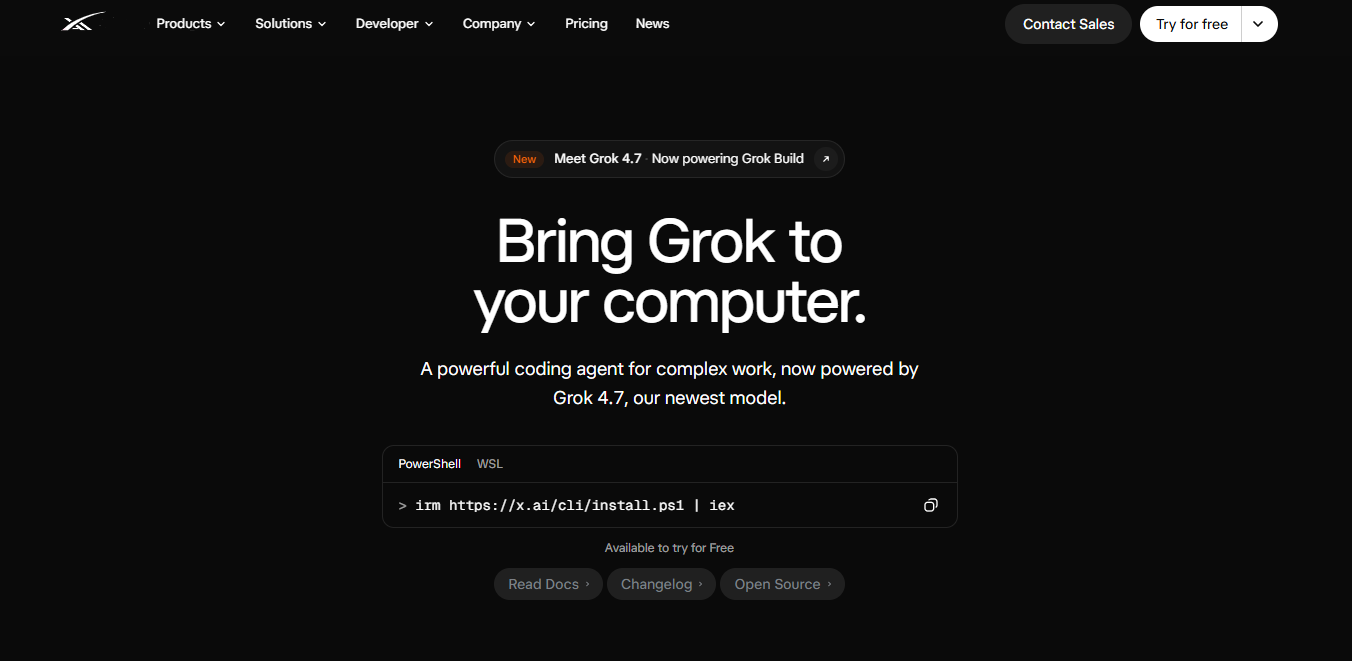
Grok brings frontier reasoning and coding capabilities to development workflows.
Grok 4.7, the newest Grok model, is built for coding, agentic tasks and long-running work, and it now powers Grok Build, a coding agent that runs in the terminal for multi-file, multi-step changes.
Grok Build can also run headlessly in scripts and CI, and teams can use the same model family for chat, code and other modalities through the Grok apps and the xAI API.
Pricing
| Plan | Price | Includes |
|---|---|---|
| Free | $0 | Grok Build with usage limits |
| SuperGrok | $30/month | Higher Grok and Grok Build usage limits |
| X Premium+ | $40/month | SuperGrok access plus X Premium features |
| API | Usage-based ($2 input / $6 output per 1M tokens on Grok 4.7) | API key access for custom integrations and CI |
Pros and Cons
| Pros | Cons |
|---|---|
| Built for complex coding work | Not a dedicated pull request review tool |
| Supports long-running agents | Access and limits depend on the plan you choose |
| One model family across chat and code | Teams need to shape their own review workflow |
| Free tier to try Grok Build | No native PR comments in GitHub or GitLab |
| Headless mode for scripts and CI | Newer to code review than specialist tools |
Use Cases
- Reasoning through complex implementation work
- Multi-file changes from the terminal
- Reviewing a change set before opening a pull request
- Running agent tasks headlessly in CI pipelines
- Pairing code generation with broader AI workflows
Choosing the Right Tool
Selection depends on your team size, technology stack, and specific quality challenges. The following table provides recommendations based on common scenarios.
| Scenario | Recommended Tool | Reason |
|---|---|---|
| Small team, quick start | CodeRabbit or DeepSource | Free tier, easy setup |
| Enterprise security focus | SonarQube or Codacy | Comprehensive security scanning |
| Python-focused team | Sourcery | Python-specific optimization |
| AWS-heavy development | Amazon CodeGuru | AWS best practices |
| Complex codebase | Greptile | Codebase-aware analysis |
| Test coverage needs | Qodo | Test generation + review |
| Technical debt management | CodeScene | Behavioral analysis |
| GitHub-native workflow | GitHub Copilot | Seamless integration |
| Multi-file agent work in the terminal | Grok | Grok Build coding agent |
Conclusion
AI code review tools have matured into essential infrastructure for development teams shipping quality software quickly.
From comprehensive platforms like CodeRabbit and SonarQube to specialized tools like Sourcery and CodeScene and coding agents like Grok, options exist for every team size and technology stack.
For most teams starting with AI code review, CodeRabbit or DeepSource provides the fastest path to value with minimal setup.
Teams with specific needs around security, testing, or technical debt should evaluate specialized tools that address those challenges directly.
The most in-demand AI engineering skills now include understanding how to leverage these tools effectively. Start with one tool, learn its capabilities, and expand your toolkit as needs become clearer.
The investment in automated quality assurance pays dividends in faster delivery and fewer production issues.
Hire vetted remote software engineers with Second Talent to build high-quality code and accelerate your development velocity.
Frequently Asked Questions
Can AI code review replace human reviewers?
No. AI tools excel at consistent, thorough analysis for known patterns but cannot evaluate business logic correctness, architectural fit, or team-specific conventions.
The best approach combines AI tools for automated checks with human review for higher-level concerns.
How accurate are AI code review tools?
According to industry research, leading tools achieve 42-48% accuracy in detecting real-world runtime bugs when properly configured. False positive rates vary significantly by tool and configuration.
Expect to invest time tuning any tool for your specific codebase.
Are these tools worth the cost for small teams?
Many tools offer generous free tiers suitable for small teams. Even paid tools at $10-30/user/month typically save more than their cost in reduced review time and prevented bugs. The ROI calculation favors adoption for most teams.

![Is Micro1 Legit?. Is Micro1 Legit? Pay, Reviews and How It Works [2026], by Second Talent.](https://www.secondtalent.com/wp-content/uploads/2026/09/is-micro1-legit-featured-v2-768x403.jpg)